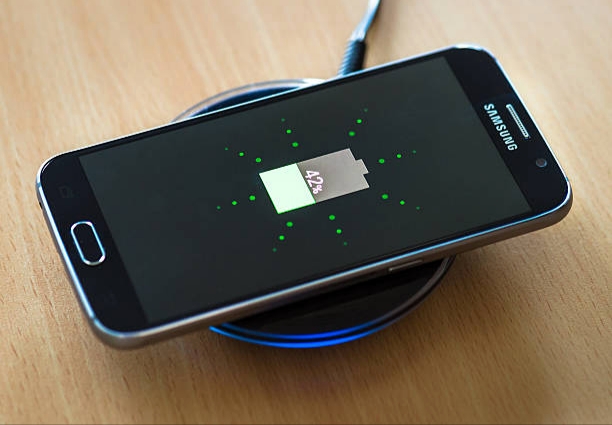
Wireless charging is now a common feature on many Samsung smartphones, allowing users to charge their devices without plugging in a cable. By placing the phone on a compatible wireless charging pad, the battery starts charging automatically. Samsung includes this feature on many Galaxy S, Galaxy Note, and Galaxy Z series phones. If you want to know what Samsung phones have wireless charger support, this guide covers the popular Samsung models that work with wireless charging technology.
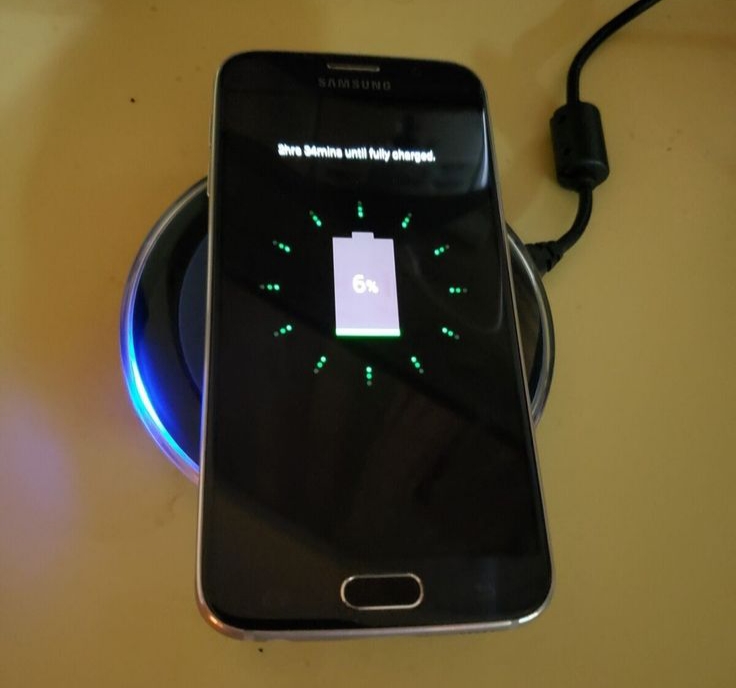
What Is Wireless Charging?
Wireless charging is a technology that lets you charge your smartphone without connecting a cable directly to the device. Most Samsung phones that support this feature use Qi wireless charging, which works with many wireless charging pads and stands. To use it, you simply place your Samsung phone on a compatible wireless charger connected to a power source, and the charging process starts automatically.
Also read: why is my phone charging but the battery percentage is not increasing real fix 2026
Samsung Phones That Support Wireless Charging
Below are some Samsung smartphones that support wireless charging technology, allowing users to charge their devices more conveniently without connecting a cable directly to the phone:
Samsung Galaxy S Series With Wireless Charging
- Galaxy S6
- Galaxy S6 Edge
- Galaxy S6 Edge+
- Galaxy S7
- Galaxy S7 Edge
- Galaxy S8
- Galaxy S8+
- Galaxy S9
- Galaxy S9+
- Galaxy S10e
- Galaxy S10
- Galaxy S10+
- Galaxy S20
- Galaxy S20+
- Galaxy S20 Ultra
- Galaxy S20 FE
- Galaxy S21
- Galaxy S21+
- Galaxy S21 Ultra
- Galaxy S21 FE
- Galaxy S22
- Galaxy S22+
- Galaxy S22 Ultra
- Galaxy S23
- Galaxy S23+
- Galaxy S23 Ultra
- Galaxy S23 FE
- Galaxy S24
- Galaxy S24+
- Galaxy S24 Ultra
- Galaxy S24 FE
- Galaxy S25 series (all models with wireless charging support)
Samsung Galaxy Note Series With Wireless Charging
- Galaxy Note 5
- Galaxy Note Edge
- Galaxy Note 8
- Galaxy Note 9
- Galaxy Note 10
- Galaxy Note 10+
- Galaxy Note 20
- Galaxy Note 20 Ultra
Samsung Galaxy Z Fold Series With Wireless Charging
- Galaxy Fold
- Galaxy Z Fold 2
- Galaxy Z Fold 3
- Galaxy Z Fold 4
- Galaxy Z Fold 5
- Galaxy Z Fold 6
Samsung Galaxy Z Flip Series With Wireless Charging
- Galaxy Z Flip
- Galaxy Z Flip 5G
- Galaxy Z Flip 3
- Galaxy Z Flip 4
- Galaxy Z Flip 5
- Galaxy Z Flip 6
Samsung Fan Edition (FE) Models With Wireless Charging
- Galaxy S20 FE
- Galaxy S21 FE
- Galaxy S23 FE
- Galaxy S24 FE
Samsung Galaxy A Series With Wireless Charging
- Galaxy A90 5G
How To Check If Your Samsung Phone Supports Wireless Charging
If you are not sure whether your Samsung phone supports wireless charging, there are a few simple ways you can confirm it without stress. These methods are easy and do not require technical knowledge.
1. Check the Phone Specifications
The first and most reliable method is to check your phone’s official specifications. You can visit Samsung’s official website or search your exact phone model online. In the battery or charging section, it will clearly show whether wireless charging is supported or not. This helps you avoid guessing or relying on assumptions.
2. Look in Device Settings
Some Samsung phones also show charging features inside the settings menu. You can go to your battery or device care section and look for charging options. While not all models display it clearly, some devices will show wireless charging or fast wireless charging details if the feature is available.
3. Test Using a Wireless Charger
Another simple method is to use a Qi-compatible wireless charger. Place your Samsung phone on the charging pad. If it supports wireless charging, you will see a charging icon or vibration showing that charging has started. If nothing happens, it likely means the phone does not support the feature.
4. Check the Phone Model Name
You can also search your exact Samsung model online. Premium models like Galaxy S, Note, and Z series usually support wireless charging, while most A series phones do not. This quick check can save time before trying other methods.
Also read: why is my phone camera blurry after update
Benefits Of Wireless Charging
Wireless charging comes with several practical advantages that make everyday phone use easier and more convenient. Here are the main benefits:
1. Reduces wear on charging ports: Since you don’t need to plug and unplug a cable every time, the phone’s charging port lasts longer and is less likely to get damaged over time.
2. More convenient charging experience: You simply place your phone on a charging pad, and it starts charging instantly. This makes it very easy to charge your phone without dealing with cables.
3. Reduces cable clutter: Wireless charging helps keep your space neat because you don’t need multiple charging cables lying around your desk, bed, or office.
4. Easy to use at night or while working: It is very helpful when charging at night or on a desk. You can quickly place your phone down and pick it up without plugging anything in.
5. Supports fast charging on many Samsung devices: Many Samsung phones that support wireless charging also offer fast wireless charging, making it quicker than older wireless charging systems.
6. Better daily charging habit: It encourages small, frequent charging throughout the day, which can be useful for people who rely heavily on their phones.
Wireless charging is not just about convenience—it also helps improve the long-term use and comfort of your device.
Also read: How to Make Your Android Phone Battery Last Longer Without a Power Bank
Conclusion
Wireless charging has become an important feature in many Samsung smartphones, especially in the Galaxy S, Note, Z Fold, and Z Flip series. It offers users a more convenient way to power their devices without dealing with cables while also helping to reduce wear on charging ports and improve daily charging habits. Before choosing a Samsung phone or wireless charger, it is always important to confirm that your device supports Qi wireless charging to enjoy a smooth and efficient charging experience.
Frequently Asked Questions (FAQ)
1. Is wireless charging on Samsung phones as fast as using a cable charger?
Wireless charging is very convenient, but in most cases it is slightly slower than using a wired charger. However, many modern Samsung phones support fast wireless charging, which improves speed and makes it suitable for daily use, especially when you are not in a hurry.
2. Can I use any wireless charger with my Samsung phone?
Not every charger will work properly. Your Samsung phone must support Qi wireless charging, and it is best to use a Qi-certified charger. Using certified chargers helps ensure stable charging, better speed, and safety for your device.
3. Does using a phone case affect wireless charging on Samsung devices?
Yes, it can. Thin plastic or silicone cases usually allow wireless charging without issues, but thick cases or cases with metal parts may weaken the connection or stop charging completely. Removing the case can sometimes improve performance.
4. Is wireless charging safe for Samsung battery life over time?
Yes, it is generally safe. Samsung designs its devices to handle wireless charging without damaging the battery. However, like all charging methods, too much heat over time can affect battery health, so it is best to keep the phone in a cool environment while charging.
5. Can I still use my Samsung phone while it is charging wirelessly?
Yes, you can still use it for basic tasks like calls, messages, or browsing while it is on a wireless charger. However, once you lift it off the charging pad, the wireless charging stops immediately, so it works best when the phone stays in place.