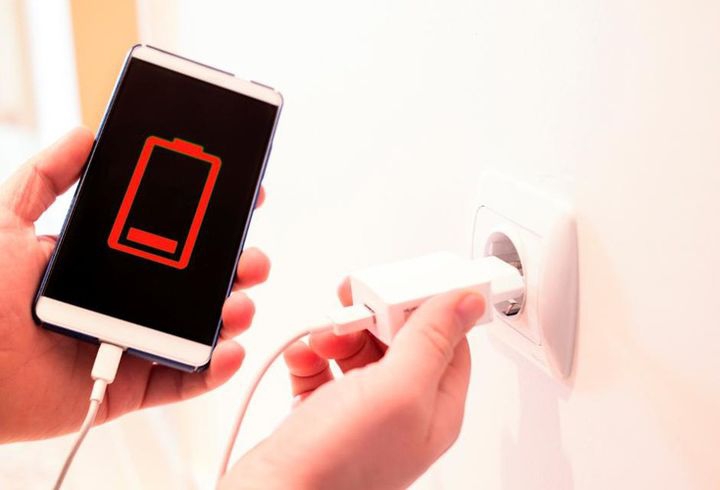
It can be frustrating when you plug in your phone and see the charging icon appear, but the battery percentage refuses to go up. Sometimes it even stays stuck on the same number for several minutes or longer. This issue is quite common on both Android and iPhone devices, and it usually happens due to charging problems, software glitches, or battery-related faults. In this guide, you will learn the real reasons behind this issue in 2026 and the simple but effective fixes you can try to get your phone charging normally again.
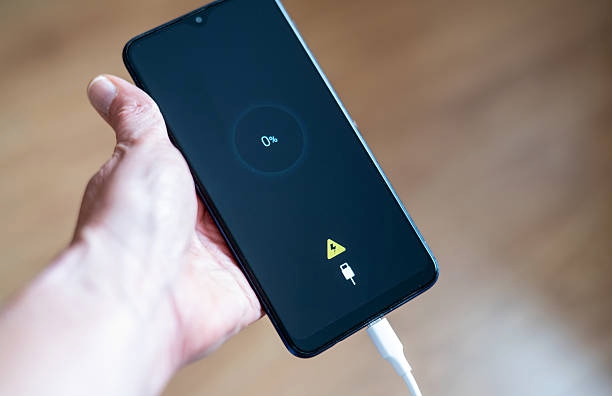
Why Your Phone Is Charging but Not Increasing
There are several reasons why your battery percentage may not move even while charging, Below are the main reasons this happens in real life:
1. Faulty or Weak Charging Accessories
One of the biggest reasons is a bad charging cable or adapter. Even if the phone shows the charging symbol, a damaged cable may not deliver stable power. Low-quality chargers can also supply inconsistent current, which makes the battery charge very slowly or appear stuck.
2. High Power Usage in the Background
Your phone may still be working hard while charging. Apps like social media, games, video streaming, or background sync can consume almost the same amount of power coming in. This makes it look like the battery percentage is not increasing even though charging is active.
3. Battery Percentage Misreading (Calibration Issue)
Sometimes the battery indicator becomes inaccurate. The phone may be charging normally, but the percentage display is not updating correctly. This often happens after system updates, sudden shutdowns, or long-term use without proper calibration.
4. Charging Port Connection Problems
If the charging port is dirty, dusty, or slightly loose, the connection between the charger and the phone becomes unstable. This reduces the amount of power entering the device and can make charging slow or appear stuck.
5. Software or System Glitches
Temporary bugs in the operating system can affect how battery levels are shown. In some cases, the phone is charging correctly, but the system fails to update the percentage in real time.
6. Heat Issues During Charging
When a phone overheats while charging, it automatically slows down or limits charging speed to protect the battery. This safety feature can make the percentage increase very slowly or seem frozen for a while.
7. Weak or Aging Battery
If the battery has been used for a long time, its capacity may drop. A weak battery struggles to store energy properly, so even when power is supplied, the increase in percentage becomes slow or unstable.
Also read: How to Make Your Android Phone Battery Last Longer Without a Power Bank
How to Fix a Phone That Charges but Battery Percentage Does Not Increase
Below are the most effective fixes you can try to solve the issue and get your phone charging normally again:
1. Test Another Charger and Cable
The first thing you should do is change your charging cable and adapter. Many charging issues come from damaged or low-quality chargers that still show the charging icon but cannot supply enough power. Try using an original charger or a different working one to confirm if the problem is from your accessories.
2. Restart Your Phone
A simple restart can solve more problems than people think. Sometimes the system may develop a temporary bug that affects how the battery percentage is displayed or how charging is processed. Restarting your phone refreshes the system and can immediately fix the issue in some cases.
3. Clean the Charging Port Carefully
Dust, lint, or dirt inside the charging port can block proper connection between the charger and your phone. This can make charging slow or unstable. Use a soft brush or dry wooden toothpick to gently clean the port. Avoid using metal objects or liquids because they can damage the phone.
4. Close Background Applications
If too many apps are running in the background, your phone may be using almost the same amount of power it is receiving. This is common with apps like TikTok, games, or video streaming apps. Closing all background apps helps your phone focus fully on charging instead of spending power.
5. Stop Using the Phone While Charging
Using your phone while it is charging can slow down the process significantly. The device is both consuming and receiving power at the same time, which makes the battery percentage increase very slowly or appear stuck. For better results, let the phone charge without interruption.
6. Let the Phone Cool Down if It Is Hot
Overheating is another common reason for slow charging. When the phone becomes too hot, it automatically reduces charging speed to protect the battery. If your phone is warm, remove the case, stop using it for a while, and allow it to cool before charging again.
7. Update Your System Software
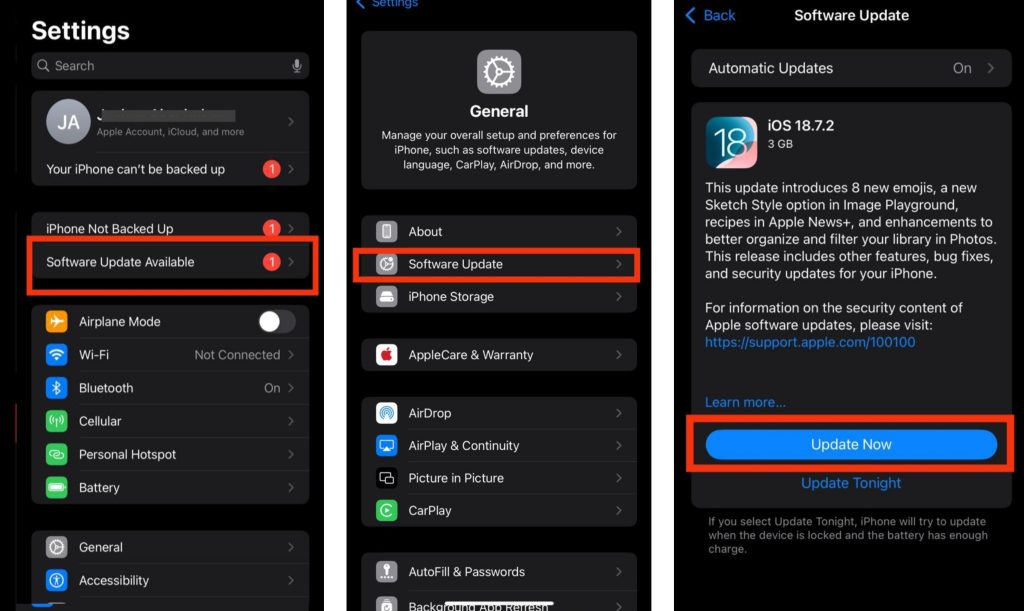
Outdated software can cause charging bugs and battery misreading. Go to Settings > Software Update > Check for updates, then download and install any available update. Make sure your phone has enough battery before starting. After updating, restart your phone and check if the charging problem is fixed.
8. Recalibrate the Battery Level
Sometimes the battery percentage is not accurate, even if the phone is charging properly. You can fix this by fully draining the battery until the phone turns off, then charging it uninterrupted to 100%. This helps the system re-learn the correct battery level.
9. Consider Battery Replacement
If you have tried everything and the problem still continues, the battery itself may be weak or worn out. Phone batteries lose strength over time, especially after long-term use. In this case, replacing the battery is the most effective and permanent solution.
Also read: why is my phone camera blurry after update
Conclusion
If your phone is charging but the battery percentage is not increasing, the issue is often caused by faulty charging accessories, background power usage, software bugs, overheating, or weak battery health. The good news is that most of these problems can be fixed by changing the charger, cleaning the charging port, updating your software, or reducing background activity. If the issue still continues after trying the fixes, replacing the battery may be the best solution to restore normal charging performance.
Frequently Asked Questions (FAQ)
1. Why does my phone charge better when it is switched off?
When your phone is turned off, all background activities stop completely. Apps, mobile data, notifications, and system processes no longer consume power, allowing the charger to send more energy directly to the battery. This is why some phones charge faster or show battery percentage increasing normally when powered off.
2. Can a weak power source affect phone charging?
Yes, a weak wall socket, extension box, or unstable power supply can reduce charging performance. Your phone may still show the charging icon, but the power reaching the battery may not be strong enough to increase the percentage properly, especially on fast-charging devices.
3. Why does my battery percentage suddenly increase after restarting the phone?
This usually happens when the battery reading becomes inaccurate due to a temporary software glitch. Restarting the phone refreshes the system and forces the battery indicator to display a more correct percentage level.
4. Is it normal for battery percentage to increase very slowly during gaming or video streaming?
Yes, heavy activities like gaming, watching videos, or using social media while charging can slow down charging speed. In some cases, the phone may use almost the same amount of power it is receiving, making the battery percentage rise very slowly.
5. Can weather temperature affect how my phone charges?
Extreme heat or cold can affect battery performance and charging speed. Most smartphones automatically reduce charging power in very hot conditions to protect the battery from damage, which may make the percentage appear stuck or increase slowly.