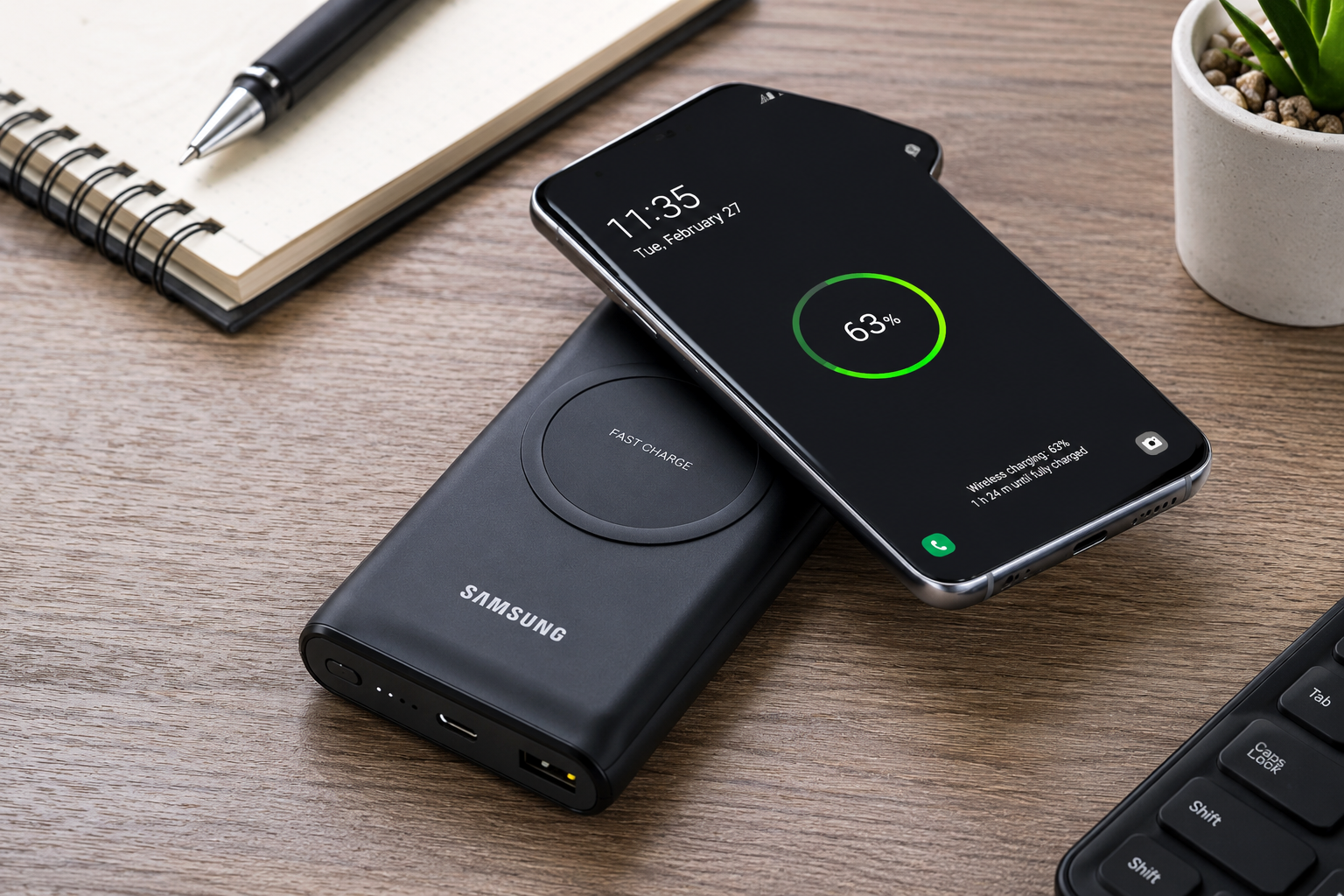
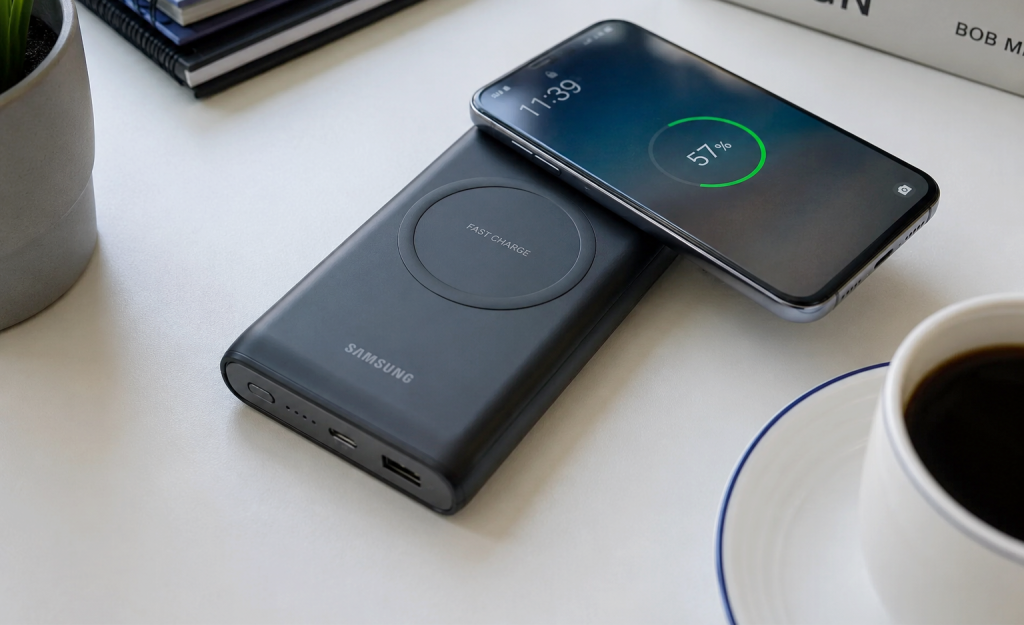
A Samsung wireless charging power bank is one of the most convenient accessories for keeping your smartphone powered throughout the day. Instead of carrying charging cables everywhere, you can simply place a compatible Samsung Galaxy phone on the power bank and charge it wirelessly while travelling, working, or relaxing at home.
Whether you own a Galaxy S series, Galaxy Z Fold, Galaxy Z Flip, Galaxy Note, or Galaxy Buds, choosing the right wireless power bank can make a big difference in charging speed, convenience, and battery life. In this guide, you’ll learn how Samsung wireless charging power banks work, their key features, compatibility, charging speeds, advantages, disadvantages, and practical tips to help you choose the best option for your needs.
Also read: Why Is My Power Bank Not Charging? Causes and How to Fix It
What Is a Samsung Wireless Charging Power Bank?
A Samsung wireless charging power bank is a portable battery that stores electrical power and can recharge compatible devices without requiring a charging cable. It uses Qi wireless charging technology, allowing supported Samsung smartphones, Galaxy Buds, and some Galaxy smartwatches to charge simply by placing them on the charging surface.
Most Samsung wireless power banks also include USB-C and USB-A ports, allowing you to charge devices with a cable at the same time. This makes them suitable for people who own multiple devices or need to charge phones that do not support wireless charging.
Unlike a standard power bank, a wireless charging model offers greater convenience because you don’t need to carry or connect cables every time you want to recharge your device.
How Does a Samsung Wireless Charging Power Bank Work?
Samsung wireless charging power banks use electromagnetic induction to transfer energy from the power bank to your compatible phone. Inside the power bank is a charging coil that creates an electromagnetic field. When a compatible Samsung device is placed correctly on the charging area, its internal receiver coil converts that energy into electricity, which charges the battery.
Most Samsung wireless power banks automatically detect compatible devices and begin charging within a few seconds. For the best performance, place your phone in the centre of the charging pad and avoid using thick or metal phone cases, as they can reduce charging efficiency.
Wireless charging is convenient for everyday use, while the built-in USB-C port is often the faster option when you need to recharge your phone as quickly as possible.
Key Features of Samsung Wireless Charging Power Banks
A quality Samsung wireless charging power bank offers several useful features:
- Qi-certified wireless charging for compatible Galaxy phones and accessories.
- Fast Wireless Charging support on compatible Samsung devices.
- USB-C input and output for wired fast charging.
- Multiple charging options that let you charge more than one device simultaneously.
- LED battery indicators to show the remaining power.
- Built-in safety protection against overheating, overcharging, overcurrent, and short circuits.
- Compact and lightweight design for travel.
- High-capacity batteries, commonly ranging from 10,000mAh to 20,000mAh.
- Support for charging Galaxy Buds and other Qi-enabled accessories.
- Premium build quality with durable materials and comfortable grip.
These features make Samsung wireless charging power banks a practical choice for commuters, students, travellers, and anyone who spends long hours away from a wall charger.
Which Samsung Phones Support Wireless Charging?
Not every Samsung smartphone supports wireless charging, so it’s important to check your device before buying a wireless charging power bank. Samsung has included Qi wireless charging in many of its premium Galaxy phones for several years, while some budget and mid-range models still require a charging cable. Below are some Samsung devices that commonly support wireless charging:
Galaxy S Series
Most flagship Galaxy S phones support wireless charging, including:
- Samsung Galaxy S25 Series
- Samsung Galaxy S24 Series
- Samsung Galaxy S23 Series
- Samsung Galaxy S22 Series
- Samsung Galaxy S21 Series
- Samsung Galaxy S20 Series
- Samsung Galaxy S10 Series
Galaxy Note Series
Samsung’s Galaxy Note lineup also includes wireless charging on most models, such as:
- Galaxy Note20
- Galaxy Note20 Ultra
- Galaxy Note10
- Galaxy Note10+
- Galaxy Note9
- Galaxy Note8
Galaxy Z Fold Series
Samsung’s foldable smartphones support wireless charging, including:
- Galaxy Z Fold7
- Galaxy Z Fold6
- Galaxy Z Fold5
- Galaxy Z Fold4
- Galaxy Z Fold3
- Galaxy Z Fold2
Galaxy Z Flip Series
Wireless charging is also available on:
- Galaxy Z Flip7
- Galaxy Z Flip6
- Galaxy Z Flip5
- Galaxy Z Flip4
- Galaxy Z Flip3
- Galaxy Z Flip
Galaxy Accessories
Many Samsung accessories can also be charged wirelessly, including:
- Galaxy Buds series
- Galaxy Buds Live
- Galaxy Buds Pro
- Galaxy Buds2
- Galaxy Buds2 Pro
- Selected Galaxy Watch models that support Qi-compatible charging.
If your Samsung phone doesn’t support wireless charging, you can still use the same power bank through its USB-C or USB-A charging ports.
Also read: what samsung phones have wireless charging
Samsung Wireless Charging Power Bank Compatibility
One of the biggest advantages of Samsung wireless charging power banks is their wide compatibility. Since they use the Qi wireless charging standard, they work with many devices beyond Samsung smartphones.
A Samsung wireless charging power bank can typically charge:
- Samsung Galaxy smartphones with wireless charging support.
- Samsung Galaxy Buds.
- Selected Galaxy Watch models.
- Apple iPhones that support Qi wireless charging.
- Google Pixel phones with wireless charging.
- Other Android smartphones that support Qi wireless charging.
- Wireless earbuds from various brands.
For devices that don’t support wireless charging, you can simply connect them using a USB-C or USB-A cable.
This versatility makes a Samsung wireless charging power bank a practical choice if you own multiple devices or switch between Android and iPhone.
Benefits of Using a Samsung Wireless Charging Power Bank
A Samsung wireless charging power bank offers several benefits that make it a worthwhile accessory for everyday use.
1. Cable-Free Charging
The biggest advantage is convenience. Simply place your compatible phone on the power bank to start charging without searching for a cable.
2. Perfect for Travel
Whether you’re commuting, flying, or spending the day outdoors, a wireless power bank lets you recharge your phone almost anywhere without relying on wall sockets.
3. Charge Multiple Devices
Many Samsung wireless power banks support both wireless and wired charging at the same time. This allows you to charge your phone wirelessly while charging another device through the USB-C port.
4. Fast Charging Support
Many Samsung wireless charging power banks support Fast Wireless Charging for compatible Galaxy devices, helping reduce charging time compared to standard wireless chargers.
5. Safer Charging
Original Samsung power banks include built-in protection against overheating, overcharging, overcurrent, and short circuits. These safety features help protect both the power bank and your devices.
6. Compatible with More Than Samsung Devices
Thanks to Qi wireless charging, you can also charge supported iPhones, Google Pixel phones, wireless earbuds, and many other compatible devices.
7. Easy to Carry
Most Samsung wireless charging power banks are slim and lightweight, making them easy to fit inside a backpack, handbag, or even a large pocket.
8. Ideal for Emergency Charging
If your phone battery runs low while you’re away from home, a fully charged wireless power bank provides a reliable backup so you can continue making calls, using maps, browsing the internet, or staying connected.
The combination of portability, convenience, compatibility, and built-in safety features makes a Samsung wireless charging power bank an excellent accessory for students, professionals, travellers, and anyone who depends on their smartphone throughout the day.
How to Choose the Best Samsung Wireless Charging Power Bank
Not all wireless power banks offer the same performance. Before buying one, it’s important to compare the features to ensure you’re getting a model that suits your charging needs. Here are the key factors to consider.
1. Battery Capacity
Capacity determines how much power the power bank can store. It is measured in milliampere-hours (mAh).
- 5,000mAh – Suitable for emergency charging and light daily use.
- 10,000mAh – A great balance between portability and battery life for most users.
- 20,000mAh or more – Best for travellers or anyone who needs to charge multiple devices several times before recharging the power bank.
2. Wireless Charging Speed
Look for a power bank that supports Fast Wireless Charging if you own a compatible Samsung Galaxy phone. Faster wireless charging helps reduce waiting time and keeps your phone ready to use.
3. Wired Fast Charging Support
Many Samsung wireless power banks also include USB-C ports that support wired fast charging. This is useful when you need the quickest charging speed or want to charge devices that don’t support wireless charging.
4. Number of Charging Ports
If you regularly carry multiple devices, choose a model with more than one output port. Some Samsung power banks allow you to charge two or even three devices simultaneously using a combination of wireless and wired charging.
5. Compact and Lightweight Design
A slim, lightweight power bank is easier to carry in your pocket, handbag, or backpack. If you travel frequently, portability is just as important as battery capacity.
6. Built-in Safety Features
Choose a genuine Samsung power bank with safety protections such as:
- Overcharge protection
- Overheating protection
- Short-circuit protection
- Overcurrent protection
- Temperature monitoring
These features help protect both your power bank and your devices during charging.
7. LED Battery Indicator
An LED indicator makes it easy to check how much power remains before leaving home, helping you avoid running out of battery unexpectedly.
8. Qi Wireless Charging Certification
Ensure the power bank supports the Qi wireless charging standard. Qi-certified devices provide better compatibility with Samsung Galaxy phones, iPhones, wireless earbuds, and other supported devices.
How to Use a Samsung Wireless Charging Power Bank
Using a Samsung wireless charging power bank is simple and only takes a few steps.
Step 1: Charge the Power Bank
Before first use, fully charge the power bank using the included USB-C charging cable and a compatible wall charger.
Step 2: Turn On the Power Bank
Some models begin charging automatically, while others require you to press the power button to activate wireless charging.
Step 3: Place Your Phone Correctly
Position your Samsung phone in the centre of the wireless charging area. Proper alignment ensures the best charging performance.
Step 4: Confirm Charging Has Started
Your phone should display a charging icon or vibration once wireless charging begins. If not, adjust the phone’s position slightly.
Step 5: Remove Your Phone When Fully Charged
Disconnect your phone after it reaches 100% battery to help maintain long-term battery health.
Common Mistakes to Avoid
To get the best performance from your Samsung wireless charging power bank, avoid these common mistakes:
- Using thick or metal phone cases that interfere with wireless charging.
- Charging the power bank in extremely hot or cold environments.
- Allowing the power bank’s battery to remain completely empty for long periods.
- Buying counterfeit or low-quality wireless power banks from unreliable sellers.
- Placing metal objects such as coins, keys, or credit cards between the phone and the wireless charging surface.
- Using damaged charging cables or incompatible wall chargers.
Conclusion
A Samsung wireless charging power bank is an excellent accessory for keeping your Galaxy phone and other compatible devices powered throughout the day. It offers the convenience of cable-free charging, supports multiple devices, and includes advanced safety features to protect your electronics. By choosing the right battery capacity, charging speed, and genuine Samsung quality, you can enjoy reliable portable power whether you’re travelling, working, or simply away from a wall outlet.
Frequently Asked Questions (FAQs)
1. Can I use a Samsung wireless charging power bank with an iPhone?
Yes. If your iPhone supports Qi wireless charging, it can be charged using a Samsung wireless charging power bank.
2. Does wireless charging damage my phone battery?
No. Genuine Samsung wireless charging power banks include safety features that regulate charging and help protect your battery.
3. Can I charge my phone while charging the power bank?
Some Samsung models support pass-through charging, allowing both the power bank and your phone to charge at the same time. Check your specific model’s specifications.
4. Why is my Samsung phone not charging wirelessly?
Common reasons include incorrect phone placement, a thick phone case, low power in the power bank, or a phone model that doesn’t support wireless charging.
5. Is a 10,000mAh power bank enough?
For most users, yes. A 10,000mAh power bank can usually recharge a compatible Samsung smartphone around one to two times, depending on the phone model and battery size.