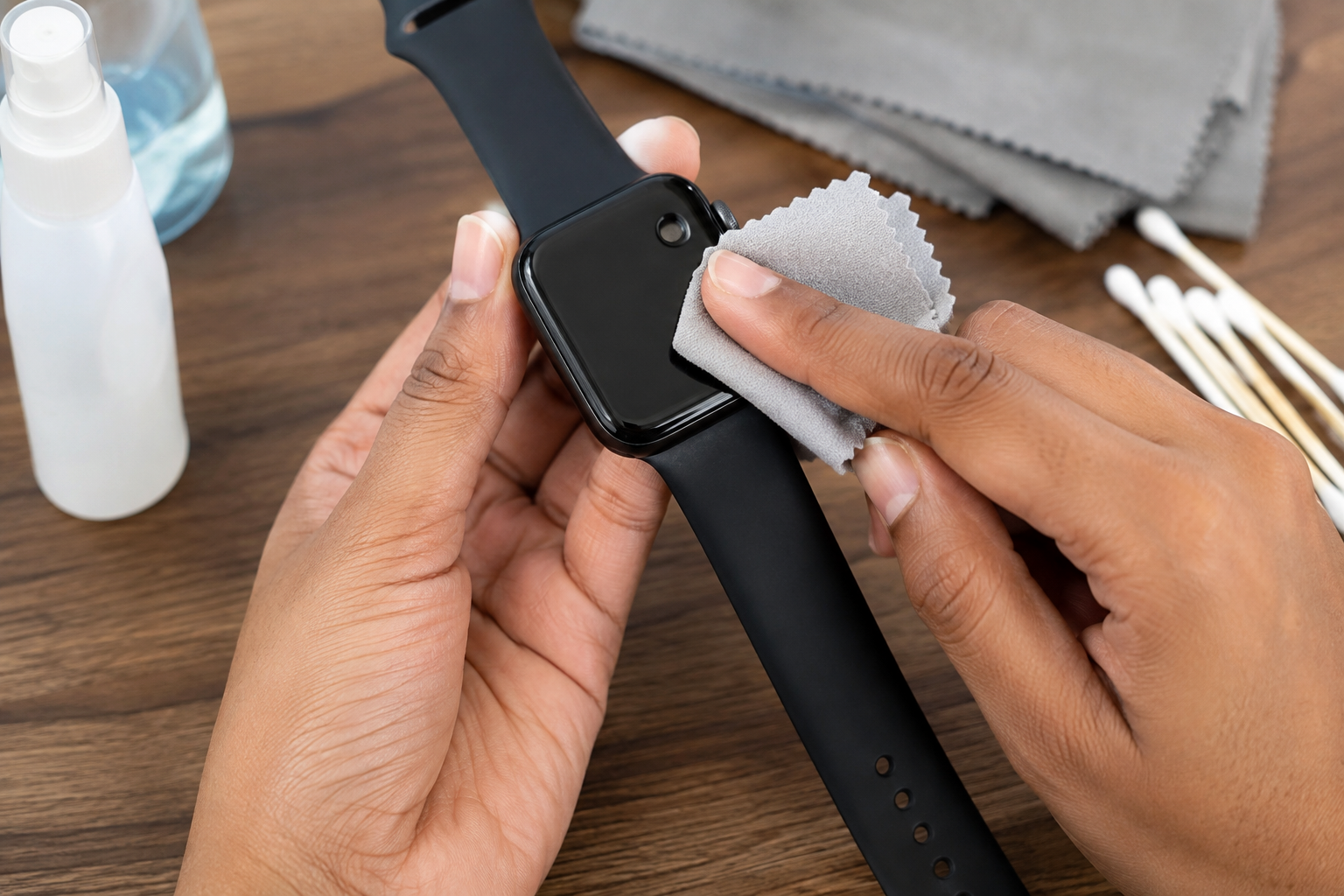
Smartwatches collect sweat, skin oils, dust, fingerprints and dirt because they stay on your wrist for hours at a time. Cleaning one regularly keeps the screen and band looking better and can also prevent dirt from building up around the sensors, buttons and charging contacts. The important thing is to clean your smartwatch according to its materials and the manufacturer’s instructions. Using too much water, harsh chemicals or excessive pressure can damage the finish, seals or screen. In this guide, you’ll learn how to clean a smartwatch safely, what materials to use, how to clean different types of bands, and which cleaning methods you should avoid.
What You Need to Clean a Smartwatch
You don’t need expensive equipment to clean most smartwatches. A few simple items are enough:
- A soft, lint-free microfiber cloth
- Clean water
- Mild soap for suitable watch bands
- Cotton swabs for hard-to-reach areas
- A soft-bristled brush for some removable bands
- A clean, dry towel
- Manufacturer-approved disinfecting wipes, if recommended for your particular watch Avoid using abrasive sponges, rough cloths, bleach, strong household cleaners or other chemicals unless the manufacturer specifically says they are safe.
Before You Start Cleaning Your Smartwatch
Before putting any liquid or cleaning product near your watch, check the manufacturer’s cleaning instructions. Water resistance does not mean a smartwatch can safely be exposed to every type of liquid or cleaning method. If possible, remove the watch from its charger and turn it off. Detaching the band also makes it easier to clean the areas that normally stay against your skin. If the watch has physical damage, a cracked screen, a damaged seal or loose parts, be especially careful with moisture. Water resistance can be affected by damage, age and previous repairs.
How to Clean a Smartwatch Step by Step
1. Turn Off the Smartwatch
Start by switching off the smartwatch and disconnecting it from its charger. This reduces the chance of accidentally pressing buttons or activating the screen while cleaning. If the manufacturer’s instructions recommend leaving the device on for a particular cleaning procedure, follow those instructions instead.
2. Remove the Watch Band
If the band is removable, take it off before cleaning. This gives you better access to the underside of the watch and makes it easier to clean the band separately. Pay particular attention to the area where the band connects to the watch because dust and sweat can collect there.
3. Wipe Away Dust and Fingerprints
Use a clean, dry microfiber cloth to gently wipe the display and exterior of the watch. Don’t press hard. A light wipe is usually enough to remove fingerprints, loose dust and everyday marks. A microfiber cloth is preferable to paper towels or rough fabric because it is less likely to leave fibers or cause fine scratches.
4. Clean the Watch’s Underside
The back of the smartwatch can collect sweat, body oils and dirt because it remains in contact with your wrist. Gently wipe the underside with a slightly damp microfiber cloth if your manufacturer’s instructions permit it. Keep moisture away from openings, speakers and other areas where liquid could enter. The sensors should be cleaned gently rather than scrubbed. Avoid pressing hard against them.
5. Clean Around Buttons and Small Crevices
Dirt can accumulate around physical buttons, speaker openings, seams and the band attachment points. A dry cotton swab can help remove loose dirt from small areas. If a manufacturer-approved cleaning method allows moisture, use only a very small amount and make sure you don’t push liquid into an opening. Do not use sharp objects to scrape dirt out of the watch. A pin, needle or metal tool can scratch the surface or damage components.
6. Clean the Screen Carefully
For normal fingerprints and smudges, a dry microfiber cloth is usually the safest starting point. If the display needs additional cleaning, follow the manufacturer’s instructions about which liquids or wipes are permitted. Put any approved cleaning solution on the cloth rather than pouring or spraying liquid directly onto the watch. Wipe gently and then use a clean, dry section of the cloth to remove remaining moisture.
7. Clean the Charging Contacts
Charging contacts can collect dust, sweat or residue over time. Carefully wipe them with a dry, soft cloth or use the cleaning method recommended by the manufacturer. Make sure the contacts are completely dry before placing the smartwatch on its charger. This is particularly important because moisture or residue around electrical contacts can interfere with charging.
How to Clean Different Smartwatch Bands
The watch band often needs more cleaning than the watch itself because it has prolonged contact with your skin. The safest method depends on the material.
1. Silicone and Rubber Bands
Silicone and many rubber bands are relatively easy to clean. Remove the band and wash it with clean water and a small amount of mild soap when the manufacturer permits it. Gently rub the surface with your fingers or a soft brush to remove accumulated sweat and dirt. Rinse away soap residue and dry the band completely with a clean towel before putting it back on the watch.
2. Metal Bands
For stainless-steel and other metal bands, wipe the surface with a soft, slightly damp cloth. For bands with links, pay attention to the spaces where dirt can collect. Dry the band thoroughly after cleaning to prevent moisture from remaining between the links. Avoid metal polishes or abrasive cleaners unless the manufacturer specifically recommends them. They can change the finish of the band.
3. Leather Bands
Leather requires more care than silicone or metal. Do not soak a leather band in water. Instead, wipe it gently with a dry or barely damp cloth and follow the leather-care instructions supplied by the manufacturer. Avoid using ordinary soap, bleach or strong cleaning chemicals on leather unless the manufacturer specifically approves them. Allow the band to dry naturally before wearing it again.
5. Fabric or Nylon Bands
Fabric and nylon bands can hold onto sweat and dirt more easily than smooth materials. If the manufacturer’s instructions allow washing, gently clean the band with water and mild soap. Avoid aggressive scrubbing, rinse thoroughly and allow it to air-dry completely. Do not put a damp band back onto the watch.
Can You Use Alcohol to Clean a Smartwatch
Sometimes, but only when the manufacturer says it is safe for your specific device and material. Some manufacturers permit certain alcohol-based wipes for particular external surfaces, while other surfaces, coatings or bands may be damaged by repeated exposure. Leather, for example, generally requires different care. If your manufacturer’s instructions permit an alcohol wipe, use it carefully and avoid allowing liquid to enter openings. Never spray alcohol directly onto the smartwatch. When you’re unsure, check the official cleaning instructions for your model rather than assuming that 70% isopropyl alcohol is safe for every smartwatch.
How to Clean the Heart-Rate Sensor
The sensors on the back of a smartwatch need gentle cleaning because they are important for health and fitness measurements. Use a clean microfiber cloth to remove sweat and residue from the sensor area. For small surrounding areas, a dry cotton swab can help remove loose debris. Don’t scratch the sensor surface or use abrasive materials. Keeping the sensor area clean can also help prevent dirt and residue from interfering with the watch’s contact with your skin.
How Often Should You Clean Your Smartwatch?
There isn’t one cleaning schedule that works for every person. How often you should clean your smartwatch depends on how you use it, how much you sweat and the material of the band. A simple routine is:
- After heavy exercise: Wipe away sweat and moisture.
- Regularly: Clean the watch band and underside when dirt or residue becomes noticeable.
- After exposure to dirt: Clean the watch before wearing it again.
- After swimming: Follow the manufacturer’s instructions for rinsing and drying the device.
- Leather bands: Follow the specific care instructions for leather rather than treating them like silicone bands. If you wear your smartwatch throughout the day or during workouts, it may need cleaning more frequently than a watch that is only worn occasionally.
What You Should Never Use to Clean a Smartwatch
Some cleaning methods can do more harm than good. Avoid:
- Bleach and strong household cleaners
- Abrasive powders or scrubbing pads
- Rough materials that can scratch the display
- Sharp objects for removing dirt
- Spraying liquid directly onto the watch
- Excessive amounts of water
- Strong chemicals not approved by the manufacturer
- Soaking a smartwatch simply because it is advertised as water-resistant
- Using the same cleaning method for every type of watch band The safest approach is to use the least aggressive cleaning method that removes the dirt effectively.
Does Water Resistance Mean You Can Wash Your Smartwatch?
Not necessarily. A water-resistant smartwatch may be designed to tolerate certain amounts of water, but water resistance has limits. It can also decrease over time or be affected by physical damage. Water resistance does not automatically mean that the watch is safe to soak in soapy water, expose to hot water or clean with high-pressure water. Always check the water-resistance and cleaning instructions for your particular model before rinsing it.
Common Smartwatch Cleaning Mistakes
1. Using Too Much Water
A cloth only needs to be slightly damp when the manufacturer’s instructions allow moisture. Saturating the watch increases the chance of liquid reaching areas that should remain dry.
2. Spraying Cleaner Directly on the Watch
Spraying a cleaning product onto the device can cause liquid to collect around buttons, seams, speakers or sensors. Apply an approved product to a cloth instead when the manufacturer permits it.
3. Cleaning the Band but Ignoring the Watch
The underside of the watch and the areas around the band connectors can collect sweat and dirt too. Clean the watch and band separately when possible.
4. Wearing the Band While It Is Still Wet
A damp band can trap moisture against your skin. Dry both the band and the watch before putting them back together.
5. Using the Same Cleaner on Every Band
A cleaning product suitable for silicone may not be appropriate for leather or another material. Always consider the band material before choosing a cleaner.
How to Keep Your Smartwatch Cleaner for Longer
Regular cleaning is easier when you prevent dirt from accumulating. Wipe sweat from your watch after exercising, allow the band to dry properly, and avoid wearing the device excessively tight. If you have multiple bands, rotating them can also give each band time to dry completely between uses. Keep your charging area clean as well. Dust and debris around charging contacts can interfere with a reliable connection.
What If Your Smartwatch Gets Very Wet?
If your smartwatch gets wetter than intended, don’t immediately connect it to a charger. Remove it from the charger, wipe the outside gently and follow the manufacturer’s instructions for dealing with liquid exposure. Don’t use excessive heat to try to dry the device. If the watch behaves unusually afterward—for example, it will not charge, the display behaves strangely or buttons stop responding—consult the manufacturer’s support service or a qualified repair professional.
Conclusion
Learning how to clean a smartwatch doesn’t require complicated equipment. A microfiber cloth, appropriate cleaning method and a little patience are usually enough for routine maintenance. The most important rule is to follow the manufacturer’s instructions for your specific watch, especially when dealing with water, alcohol, disinfectants and different band materials. Clean the screen and underside gently, give the band the care appropriate for its material, keep charging contacts dry and avoid harsh chemicals. With regular maintenance, your smartwatch can stay cleaner, more comfortable to wear and in better condition for longer.
Frequently Asked Questions
1. What is the best thing to use to clean a smartwatch?
A soft, lint-free microfiber cloth is a good starting point for removing fingerprints, dust and everyday dirt. If additional cleaning is necessary, use only products approved for your particular smartwatch.
2. Can I wash my smartwatch with soap and water?
It depends on the watch and the manufacturer’s instructions. Some water-resistant watches can tolerate limited rinsing, while others should only be wiped with a damp cloth. Soap and water are generally more appropriate for compatible removable bands than for the electronic watch itself.
3. Can I use alcohol wipes on my smartwatch?
Some manufacturers allow specific alcohol wipes on certain external surfaces, but this isn’t universal. Check your model’s instructions before using alcohol, especially on displays, coatings or leather bands.
4. How do I clean the back of my smartwatch?
Gently wipe the back with a clean microfiber cloth. Pay attention to the sensor area and remove sweat or residue without scratching or applying excessive pressure.
5. How do I clean a smartwatch band?
The correct method depends on the band material. Silicone and some rubber bands can often be cleaned with mild soap and water, while leather requires much less moisture. Metal and fabric bands also have their own care requirements.
6. Can I a toothbrush to clean my smartwatch?
A soft-bristled brush may be useful for some removable bands, but it should not be used aggressively on the watch itself. Avoid stiff bristles and never use a brush to force dirt into openings.
7. How often should I clean my smartwatch?
Clean it whenever sweat, dirt or fingerprints build up. If you exercise while wearing it, wiping it after workouts is a good habit. A deeper cleaning routine can be done as needed based on the watch and band material.
8. Can cleaning improve smartwatch sensor readings?
Keeping the sensor and the skin-contact area free from sweat and residue can help the watch maintain proper contact with your skin. However, cleaning cannot fix a damaged or malfunctioning sensor.
9. Can I use glass cleaner on my smartwatch?
It is better not to use ordinary glass cleaner unless the smartwatch manufacturer specifically approves it. Household glass cleaners can contain chemicals that may damage coatings or other surfaces.
10. Should I remove the band before cleaning my smartwatch?
If the band is removable, taking it off makes it easier to clean the watch and band separately. It also allows you to reach dirt around the band attachment points more easily.