
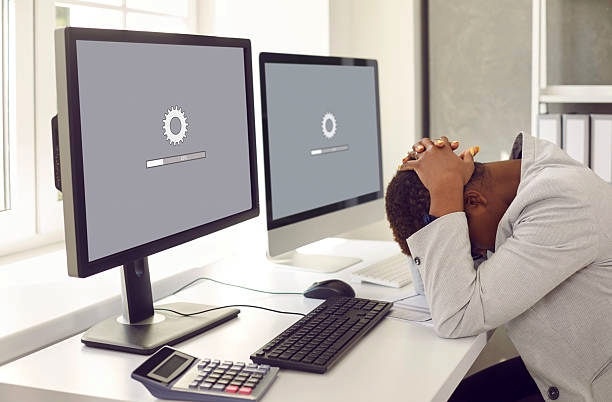
Many computer users rarely shut down their devices, choosing instead to close the laptop lid, put the system to sleep, or leave it running continuously for weeks or even months. While this habit may appear harmless at first, keeping a computer on for a very long time without proper shutdown can quietly lead to performance slowdowns, security risks, and hardware stress. In this article, we explain what actually happens when you never shut down your computer for months, whether it is safe to do so, and the best practices you should follow to keep your system fast, secure, and running smoothly.
Also read: How to Turn On a Computer
Is It Normal to Leave a Computer On for Long Periods?
Yes, leaving a computer on for long periods is very common, especially among office workers, gamers, and students. Modern computers are built to handle long uptime without immediate problems, but this does not mean shutting down is unnecessary. While sleep and hibernate modes save time and allow you to resume work quickly, they do not fully refresh the system the way a proper shutdown does.
What Happens If You Never Shut Down Your Computer?
Below are the main problems that can occur when a computer is left running for weeks or months without being properly shut down:
1. Your Computer Gradually Becomes Slower
When a computer runs for a long time without being shut down, background processes continue to build up while temporary files and cached data remain in memory. Over time, programs begin to open more slowly, the system feels less responsive, and random lag may appear during normal use. Shutting down or restarting clears system memory and refreshes active processes, which is why computers often feel faster after a restart.
2. RAM Gets Overloaded
RAM stores data for programs that are currently in use, and when a computer is not shut down regularly, this memory is never fully cleared. Over time, poorly optimized apps can cause memory leaks, RAM usage may remain high even when the system is idle, and the computer may start freezing or crashing. Restarting or shutting down the system clears RAM completely and often fixes these performance issues instantly.
3. Background Updates Don’t Install Properly
Many system updates, especially on Windows, require a full shutdown or restart to finish installing. When a computer is rarely shut down, updates may remain pending, security patches may not be applied, and existing system bugs can remain unfixed. This can leave the computer outdated, less stable, and more vulnerable to security risks.
4. Increased Security Risks
Leaving a computer running for months without restarting can increase security risks. When shutdowns are avoided, important security updates may not fully activate, system vulnerabilities can remain open, and malicious software may continue running in memory. Regular shutdowns or restarts help apply security patches and protect the system from potential threats.
5. Laptop Battery Health Can Decline
For laptops, leaving the system running for long periods without shutdown can negatively affect battery health. Continuous uptime can cause excess heat, leading to faster battery wear and a shorter overall lifespan. Even when plugged in, laptops still generate heat, and prolonged heat exposure is one of the main factors that damages batteries.
6. Your Computer Fan May Work Harder
When a computer runs continuously, the cooling fan has to work more often to control heat. This can lead to louder fan noise, increased dust buildup inside the system, and added strain on internal components. Shutting down the computer gives the hardware time to cool down and reduces long-term stress.
7. Software Bugs Accumulate
Some software problems do not show up immediately but develop gradually when a computer is not shut down regularly. Over time, this can cause apps to stop opening properly, Wi-Fi or Bluetooth connections to fail, or audio and display issues to appear. In many cases, a simple shutdown or restart quickly resolves these problems.
Also read: Why Is My Computer Fan So Loud
Signs Your Computer Needs a Shutdown
Below are common signs your computer needs a shutdown or restart to restore performance and prevent issues:
1. Apps freeze frequently: Programs may stop responding or crash unexpectedly due to overloaded system memory that needs to be refreshed.
2. Fan noise increases suddenly: A louder-than-usual fan usually means the processor is working harder to manage heat. Shutting down helps reduce internal stress.
3. Wi-Fi disconnects randomly: Unstable internet connections or sudden disconnections can occur when background network services need a restart.
4. The computer heats up quickly: Excessive heat during normal use is a sign that internal processes have been running continuously without rest.
5. Updates are pending but won’t install: Many system updates require a shutdown or restart to complete, and delaying this can affect performance and security.
Also read: Why Is My Laptop So Slow
Conclusion
Leaving your computer running for months without shutting it down may seem harmless, but over time it can cause slow performance, security risks, overheating, and unnecessary stress on hardware. Even though modern systems are designed to handle long uptime, regular shutdowns are still important for maintaining system health. Shutting down your computer from time to time helps refresh memory, apply important updates, and keep everything running smoothly. A simple shutdown takes only a minute, but it can prevent many long-term problems.
Frequently Asked Questions (FAQs)
1. Is it bad to leave a computer on 24/7?
Leaving a computer on all day is not immediately dangerous, especially with modern systems. However, running it continuously for months without shutting down can slowly reduce performance, increase heat buildup, and cause unnecessary wear on internal components over time.
5. Is sleep mode the same as shutting down?
No, they serve different purposes. Sleep mode keeps programs running in memory and uses a small amount of power so you can resume work quickly. Shutting down completely turns off the system, clears memory and background processes, and allows updates to install properly. Sleep mode is convenient, but it should not replace regular shutdowns.
2. Does restarting fix slow computers?
Yes, in many cases it does. Restarting clears system memory, stops background processes that may be stuck, and refreshes system resources. This is why a restart often makes a slow computer feel faster again.
3. Should I shut down my laptop every night?
If you use your laptop daily, shutting it down at night is a healthy habit. It helps reduce heat, protects battery health, and gives the system a fresh start the next day.
4. Is hibernate better than sleep mode?
Hibernate saves your current session to storage and uses no power, which makes it better than sleep for long breaks. However, it still does not fully replace a proper shutdown, which clears memory and applies system updates completely.
6. How often should you shut down your computer?
How often you shut down depends on how you use your computer. Daily users should shut down at least every two to three days, while gamers and content creators should shut down daily. Light users can safely shut down once a week. Even restarting occasionally is far better than never shutting down at all.