
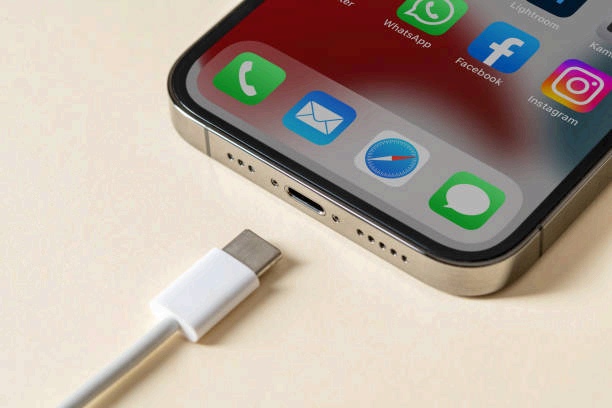
You plug in your iPhone and expect it to start charging, but nothing shows up on the screen. This is a common issue for many users and is often caused by simple things like dirt in the charging port, a faulty cable, software bugs, or outdated iOS. Although it can be worrying, most charging problems are easy to identify and fix at home. This guide explains the common causes and practical steps you can take to get your iPhone charging again safely and reliably.
Also read: why does my phone say sos
10 Common Reasons Why Your iPhone Is Not Charging
Before assuming your iPhone is damaged, it’s important to understand what could be causing the issue. Below, you’ll find the most common reasons this problem occurs:
1. iPhone Battery Problems
A worn-out battery is a common reason an iPhone may stop charging properly. As lithium-ion batteries age, they lose their ability to hold and manage power efficiently. This can cause slow charging, inconsistent charging, or failure to charge at all. When battery health drops over time, the iPhone may struggle to accept or maintain a full charge, making charging problems more frequent.
2. Damaged or Faulty Charging Cable
A damaged charging cable is a frequent cause of iPhone charging problems. With regular use, cables can develop frayed sections, sharp bends, or internal wire damage that interrupts the flow of power. Even minor defects around the connector can weaken the connection and stop the phone from charging properly. Low-quality or non-genuine cables are more likely to fail, and any break in power delivery can prevent the iPhone from receiving a steady charge.
3. Dirty or Blocked Charging Port
A charging port that has collected dust, lint, or small debris can prevent an iPhone from charging. Even tiny particles can interfere with the connection between the charging pins and the cable, disrupting the flow of electricity. Many users overlook this issue, assuming the problem lies with the battery or charger, when in reality the port itself may be obstructed and unable to maintain the necessary contact for charging.
4. Damaged Charger or Power Adapter
A faulty or worn-out power adapter can stop an iPhone from receiving electricity . Even if the adapter looks fine externally, internal damage, overheating, or defects can prevent it from delivering the necessary current. Electrical surges, prolonged use, or low-quality third-party adapters can compromise the adapter’s reliability, making it unable to maintain a stable connection with the phone during charging.
5. Software Glitches
Some iPhone charging problems are caused by software rather than hardware. When system processes, background apps, or power management features fail to work properly, the phone may not detect or manage incoming power as expected. Issues like incomplete iOS updates, temporary system crashes, or corrupted settings can stop charging even when the cable and adapter are in good condition.
6. Loose Charging Connection
A loose or unstable connection between the iPhone and its charging setup can prevent the device from receiving power correctly. If the cable isn’t fully seated in the port or the adapter doesn’t fit securely into the outlet, the electrical flow can be disrupted. Repeated plugging and unplugging may also gradually wear down the connectors, making it harder for the phone to maintain a reliable connection with the charger.
7. Temperature Issues
Extreme temperatures can interfere with an iPhone’s ability to charge because the device’s internal sensors regulate power to protect its battery and components. If the phone becomes too hot or too cold, these sensors can restrict the flow of electricity, preventing normal charging. This built-in protection ensures the battery is not damaged by harsh environmental conditions, but it can make the phone appear unresponsive when connected to a charger.
8. Power Source Problems
Sometimes the problem lies not with the iPhone or its accessories but with the power source. Faulty wall outlets, USB ports, or extension boxes may fail to deliver a stable flow of electricity. Loose wiring or worn-out ports can interrupt the connection, preventing the device from receiving power properly. In such cases, the phone may appear unresponsive even though the issue originates with the power supply itself.
9. Damaged Lightning Port
A damaged or bent Lightning port can prevent an iPhone from receiving power properly. The port is a delicate component that connects the charger to the phone’s internal power system, and frequent plugging, rough handling, or using low-quality cables can bend or damage the metal pins inside. Even minor misalignment can disrupt the connection, making it impossible for electricity to flow from the charger into the device.
10. Internal Hardware Damage
Internal hardware damage can stop an iPhone from receiving power correctly. Drops, water exposure, or internal short circuits can affect key components such as the power IC chip, charging controller, or battery connectors. When any of these parts are compromised, the connection between the charger and the phone’s battery can be disrupted, preventing the device from responding even with a fully functional charger and cable.
Also read: https: How to Transfer Photos from iPhone to Computer
10 Effective Fixes for iPhone Charging Problems
If your iPhone isn’t charging, don’t panic this is a common issue with simple solutions. Below are practical fixes you can try to restore normal charging quickly and safely:
1. Check Battery Health and Replace if Necessary
If your iPhone has charging issues due to battery wear, start by checking its battery condition. Go to Settings → Battery → Battery Health & Charging and review the battery health percentage. If the health is significantly reduced, the battery may no longer charge efficiently. In this case, replacing the battery through Apple Support or an authorized service center is the most reliable solution. A healthy battery restores normal charging, improves performance, and prevents future power-related issues.

2. Use a Proper Charger
Using the right charger is essential for reliable iPhone charging. Apple recommends the official 20W adapter or a certified third-party charger with the MFi (Made for iPhone) label to ensure safety and compatibility. Check your Lightning cable and adapter for damage such as frays, bends, or worn connectors, and replace any faulty components. Testing with a known, high-quality charger and cable ensures the iPhone receives stable and consistent power every time.
3. Inspect and Clean the Charging Port
Debris like dust, lint, or small particles can accumulate in your iPhone’s Lightning port, blocking the connection with the cable. To ensure reliable charging, carefully inspect the port and gently remove any buildup using a soft, dry brush or a plastic pick. Avoid metal objects or sharp tools that could damage the connectors. Regular cleaning helps maintain a stable connection and prevents long-term issues with charging performance.
4. Remove Your Case (If Necessary)
Thick or poorly designed cases can block the Lightning port or interfere with wireless charging alignment. If your charger doesn’t fit easily, try removing or adjusting the case. For wireless charging, ensure the case supports MagSafe or Qi standards. Keeping the port and charging area clear prevents connection issues and protects both the charger and the iPhone’s internal components.
5. Install the Latest iOS Update
Outdated iOS versions can contain bugs that affect how your iPhone detects and manages charging. To fix this, go to Settings → General → Software Update and install any available update. New iOS releases often include power-management improvements, charging fixes, and stability updates. Keeping your iPhone up to date helps prevent charging interruptions, improves battery efficiency, and ensures the device works smoothly and reliably over time.

6. Don’t Use the Phone While It’s Charging
Using your iPhone during charging, especially for heavy tasks like gaming, video streaming, or multitasking, can increase heat and affect how efficiently the device charges. Leaving your phone undisturbed while it’s plugged in allows it to receive power steadily and reduces unnecessary strain on the battery. Avoiding intensive apps during this time helps maintain consistent charging, protects battery health, and ensures your iPhone continues performing reliably over the long term.
7. Keep an Eye on Temperature
iPhones charge best within a temperature range of 32°F to 95°F (0°C to 35°C). If the device becomes too hot or too cold, the charging system may temporarily pause to protect the battery and internal components. To maintain optimal charging, unplug your iPhone if it overheats and allow it to cool in a safe, dry place. Removing the case can also help improve airflow. Keeping your device within this temperature range ensures efficient charging and supports long-term battery health, preventing unnecessary wear over time.
8. Use a Different Power Source
If your iPhone still isn’t charging, the issue may be the power source rather than the phone. Sometimes a wall outlet becomes weak or unstable without you noticing, which leads to slow or interrupted charging. Try plugging your charger into another outlet, or avoid using a laptop’s USB port since those often provide low power. Switching to a stable wall socket helps your iPhone receive consistent power and can quickly restore normal charging without any extra troubleshooting.
9. Try a Force Restart
If your iPhone isn’t charging properly, a quick force restart can clear small software glitches that may be blocking the charging process. Simply press and release the Volume Up button, then Volume Down, and hold the Side button until the Apple logo shows. This refreshes the system and helps your phone recognize the charger again. Once it restarts, plug it back in to see if the charging returns to normal.
10. Get Professional Help
If your iPhone still has charging issues after trying every fix, it may be a sign of a deeper hardware problem. At this point, the best step is to reach out to Apple Support or visit an authorized service center so a technician can check the charging port, battery, or other internal parts. Avoid uncertified repair shops, as poor handling can create new problems or affect your warranty. Getting professional help ensures your device is properly inspected and repaired, restoring safe and reliable charging.
Also read: Why Is My Phone Charging Slowly Even With a Fast Charger?
Conclusion
iPhone charging issues can be worrying, but most of the time they come from simple, fixable causes. By checking your charger, cleaning the port, updating iOS, and making sure your device isn’t overheating, you can often get your phone charging again within minutes. These small steps not only solve the problem but also help protect your battery in the long run.
If you’ve tried every fix and your iPhone still won’t charge, then it’s best to contact Apple Support for a proper check-up. This ensures your device gets the right treatment and continues to perform reliably.
Frequently Asked Questions (FAQs)
1. Can non-certified chargers damage my iPhone?
Yes. Low-quality or non-certified chargers may supply unstable power, overheat, or stop working properly. Over time, this can damage the battery or internal charging components. Using Apple-approved or MFi-certified chargers helps ensure safe, consistent charging and protects your device.
2. How often should I clean my iPhone’s charging port?
It’s a good idea to check the charging port every few weeks, especially if you carry your phone in pockets or bags. Dust and lint can block the connection and cause charging issues. Clean gently with a soft, dry brush or plastic tool to avoid damaging the pins.
3. Does temperature affect how my iPhone charges?
Yes. iPhones are designed to pause charging when they get too hot or too cold to protect the battery. Heat from sunlight, thick cases, or heavy usage can interrupt charging. Charging in a cool, ventilated area helps maintain stable performance.
4. Can iOS updates fix charging problems?
Yes. Software updates often include fixes for power-management bugs and system issues that affect charging. Keeping your iPhone updated improves charging reliability, battery efficiency, and overall device performance.
5. Is it safe to charge my iPhone overnight?
Yes. iPhones use smart charging features that prevent overcharging by slowing power intake overnight. As long as you use a certified charger and place the phone on a well-ventilated surface, overnight charging is safe and battery-friendly.