
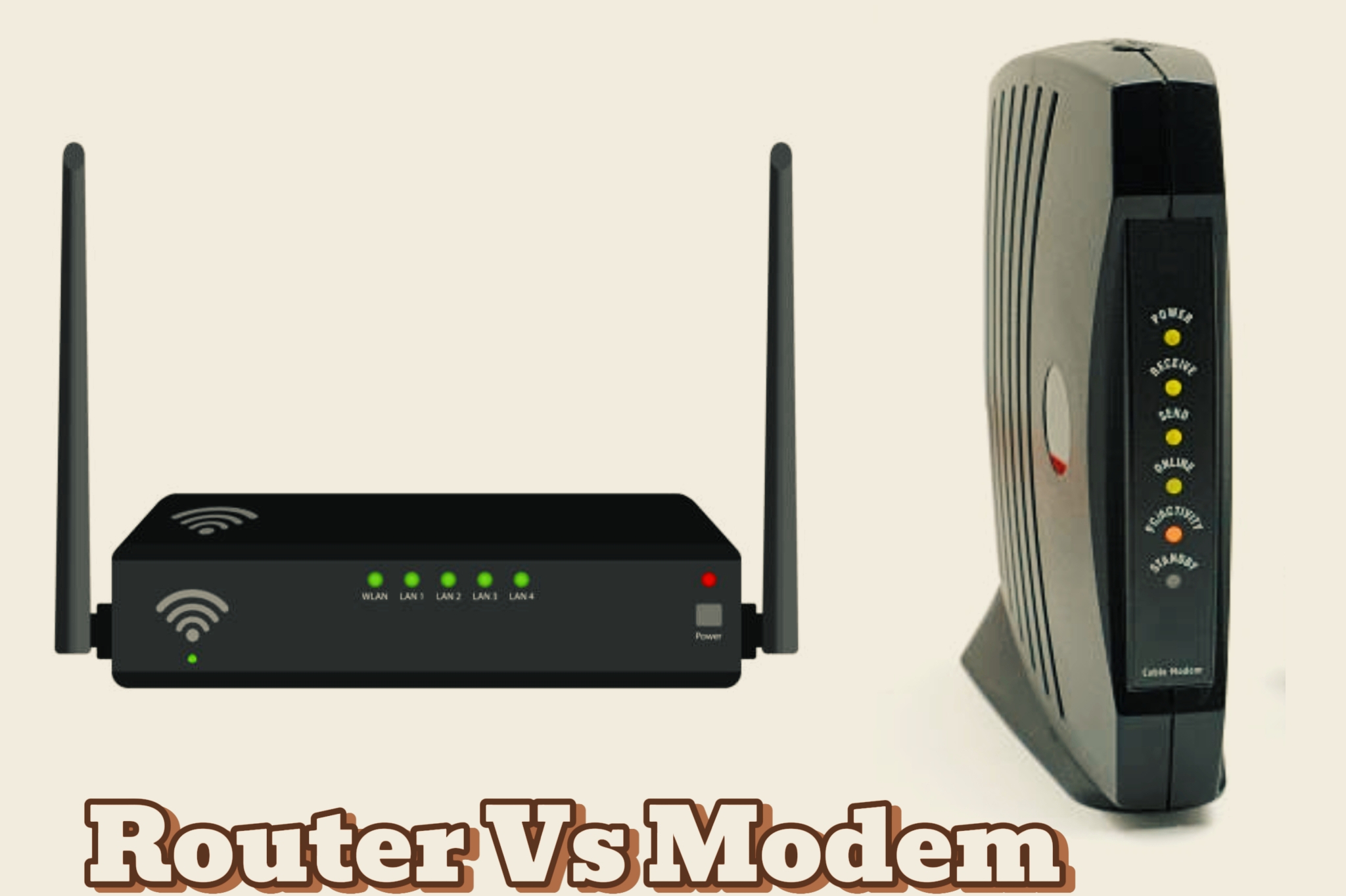
A fast, stable internet connection is essential today, whether you’re working, streaming, gaming, or running a business. Many people, however, don’t fully understand the devices that make it work—especially the modem and router. These core network devices have different roles, and knowing the difference between a modem and a router helps you troubleshoot issues, choose the right equipment, and get the best performance. This guide explains the difference between a modem and a router and what each device does.
What is a Modem?

A modem is a device that connects your home or office network to the internet by acting as a bridge between your devices and your Internet Service Provider (ISP). Its main role is to translate digital data from your devices into signals that can travel through cable, DSL, fiber, or mobile networks, and then convert incoming signals back into digital form so your devices can use them. Simply put, the modem brings the internet into your space, forming the foundation of your network.
What is a Router?

A router is a device that manages and directs internet traffic within your home or office network. While the modem brings the internet into your space, the router distributes that connection to multiple devices such as smartphones, laptops, smart TVs, and tablets—allowing them to communicate with each other and access the internet at the same time. It acts as the central hub of your network, ensuring smooth data flow, efficient connectivity, and secure communication among all connected devices.
Key Differences Between a Modem and a Router Explained
Below, we’ll break down the key differences so you can clearly understand how these devices function and why both are necessary for a smooth, reliable connection:
| Feature | Modem | Router |
|---|---|---|
| Definition | A modem connects your home or office network to the internet by converting data from your devices into signals your ISP can transmit, and vice versa. | A router creates a local network, allowing multiple devices to share the internet and communicate with each other. |
| Primary Function | Provides a direct connection between your network and the ISP. | Distributes internet to multiple devices and manages internal network traffic. |
| Connectivity | Usually has one port to connect to the ISP and one Ethernet port for a device or router. | Multiple Ethernet ports and Wi-Fi for connecting wired and wireless devices. |
| Internet Sharing | Can provide internet to only one device at a time. | Designed to share internet with several devices simultaneously. |
| IP Address Management | Passes the ISP’s IP to the connected device. | Assigns local IPs to devices for internal communication. |
| Security | Minimal security; relies on ISP for protection. | Offers firewalls, encryption, guest networks, and parental controls. |
| Device Control | Limited; focuses on internet transmission. | Extensive; manages bandwidth, guest access, and device prioritization. |
| Extra Features | Basic connectivity-focused device. | May include USB ports, QoS settings, and VPN support. |
| Dependence | Requires a router to connect multiple devices. | Requires a modem for internet access. |
| Examples | Cable, DSL, fiber optic, satellite modems | Standalone router, modem-router combo |
What Do Modems and Routers Have in Common?
Below are some of the notable similarities between a modem and a router:
1. Essential Networking Devices: Both modems and routers are fundamental components of any home or office network. While each serves a distinct purpose, together they ensure that your devices can connect to the internet and communicate effectively within your local network. Without either device, maintaining a reliable and functional network would be impossible.
2. Enable Internet Access: Both modems and routers play key roles in providing internet connectivity. The modem establishes a direct connection with your Internet Service Provider (ISP), bringing the internet into your home or office. The router then takes that connection and shares it across multiple devices, either through Wi-Fi for wireless access or via Ethernet cables for wired connections, ensuring that every device stays online seamlessly.
3. Handle Data Flow: Both modems and routers manage the flow of data, but in different ways. The modem converts digital information from your devices into signals that your ISP can transmit and then converts incoming signals back into digital data for your devices. Meanwhile, the router organizes and directs data within your local network, making sure each device receives the correct information efficiently, whether it’s a file transfer, a video stream, or a web request.
4. Feature Physical Ports: Both modems and routers include Ethernet ports to allow wired connections for devices that need a stable and fast link. Modems generally have fewer ports, usually connecting directly to a single device or a router. Routers, on the other hand, come with multiple ports to connect several devices at once, providing flexible and reliable network access throughout your home or office.
5. Involve IP Addressing: Both modems and routers are essential for managing IP addresses in your network. The modem receives a public IP address from your Internet Service Provider (ISP), which identifies your home or office network online. The router then assigns private IP addresses to each connected device, allowing them to communicate with each other and access the internet seamlessly. This division ensures smooth data flow and proper network organization.
Conclusion
Knowing the difference between a modem and a router is key to a reliable home or office network. The modem connects your devices to the internet, while the router manages traffic within your local network, allowing multiple devices to access the internet at once. Together, they handle data, connectivity, and IP addresses, ensuring your network runs smoothly. Understanding how they work helps you optimize performance, make smart upgrades, and maintain a secure, stable connection for all your devices.
Frequently Asked Questions (FAQs)
1. Can I use a Wi-Fi router without a modem?
Yes, you can use a router without a modem to create a local network for sharing files, printers, or gaming devices. However, without a modem, your devices won’t have internet access. This setup is useful for offline home or office networks.
2. How do I know if my internet is slow because of the modem or router?
To identify the cause, connect a device directly to your modem with an Ethernet cable. If the internet speed improves, your router may be the bottleneck. If it stays slow, the issue could be with your modem or your ISP.
3. What is a modem-router combo, and is it worth it?
A modem-router combo is a single device that combines both functions. It’s convenient for small spaces and simple setups, but standalone devices usually provide better Wi-Fi coverage, advanced features, and easier upgrades for larger homes or offices.
4. How often should I update or replace my modem and router?
It’s recommended to update your router firmware regularly and replace devices every 3–5 years. Older modems and routers may not support higher internet speeds, modern security protocols, or multiple devices efficiently.
5. Can a router improve internet speed even if the modem is slow?
A router cannot increase the maximum speed provided by your modem or ISP. However, a high-quality router can optimize local network performance, reduce lag, and distribute bandwidth efficiently to multiple devices.