
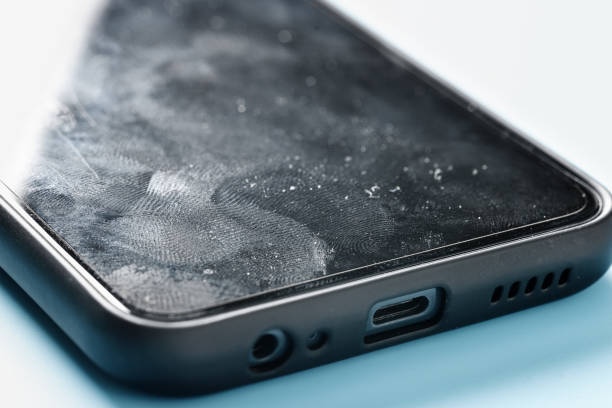
Even though many smartphones today are designed to resist splashes or brief contact with water, that doesn’t mean the internal parts are completely safe. If water gets into the speaker area, the sound can become unclear or muffled, making it difficult to enjoy music or follow conversations during calls. In some cases, water damage can also cancel out your warranty, leaving you to cover the cost of repairs yourself. The good thing is that you don’t always need professional help—there are a few quick and practical steps you can try at home to clear water from your phone speaker and get it working properly again.
Steps to Get Water Out of Your Phone Speaker
When water enters your phone speaker, acting quickly and carefully can prevent long-term damage. The steps below focus on safe, practical methods that help remove moisture without harming internal components. Follow them in order for the best results.
1. Power Off Your Device
The first and most important action to take if water enters your phone speaker is to switch off the device immediately. Keeping the phone on while it’s wet increases the chances of short circuits, which could permanently damage internal parts beyond the speaker. By turning it off right away, you give your phone the best chance of avoiding further harm and make it safer to try out drying methods. Think of it as putting the phone in a safe state before you begin any recovery process.
2. Shake It Gently
After powering down your phone, hold it with the speaker side facing downward and give it a light shake. This simple motion can help any trapped droplets of water slide out of the openings instead of sinking deeper inside. Be careful not to shake it too hard, as rough movements may push the liquid further into delicate components. A gentle shake is usually enough to encourage gravity to do its work and start clearing the speaker area.
3. Wipe with a Soft Cloth
Take a clean microfiber or soft cotton cloth and carefully dab around the speaker area to soak up any visible moisture. Avoid rubbing too hard, as that could spread the water or push it deeper into the phone. Microfiber cloths work best because they are highly absorbent and gentle on your device’s surface, reducing the risk of scratches. Focus on patting the wet areas lightly until the outside of the phone looks dry before moving on to the next step.
4. Try Compressed Air
If you have a can of compressed air available, it can be useful for clearing out moisture hiding inside the speaker grille. Hold the can a few inches away from the phone and spray short, controlled bursts rather than a continuous stream. This gentle airflow can help push out tiny droplets that shaking or wiping didn’t remove. Be careful not to place the nozzle too close or blow too forcefully, as excessive pressure might damage the delicate mesh or even drive water further inside. A careful, light approach is the safest way to use compressed air on your phone.
5. Dry with rice or silica gel
A classic method for drying out water from phones is placing it in a container with “uncooked rice” or “silica gel“. These substances naturally absorb moisture. Leave the phone in this setup for 24-48 hours, and it should help get water out of your phone speaker.
6. Use the Built-In Water Eject Feature (If Available)
Some newer smartphones, especially water-resistant models, include a built-in option to push water out of the speakers. This feature works by playing a special sound frequency that forces droplets to vibrate and exit through the speaker grill. For instance, certain iPhone models allow users to activate this through settings or shortcuts, while some Android devices may offer similar tools. If your phone supports this function, it’s one of the safest and most effective ways to clear water without extra equipment.
7. Let It Air Dry
After using the previous methods, the safest next step is to simply allow your phone to dry naturally. Place it in a cool, well-ventilated area where air can circulate around it. Patience is key here—rushing the process with heat sources like hairdryers, ovens, or direct sunlight can cause more harm by overheating or warping delicate components. By giving the device enough time to air out, you allow any remaining moisture inside the speaker to evaporate gradually, reducing the risk of long-term damage.
8. Test the Speaker
Once your phone has had enough time to dry, power it back on and play some audio—this could be music, a voice note, or even a short video. Listen closely to check whether the sound has returned to normal. If the audio still seems muffled or distorted, try repeating some of the earlier steps, such as gentle shaking or using the water eject feature, to clear out any remaining droplets. However, if the issue persists after multiple attempts, it’s best to consult a professional repair service to prevent further damage and restore your phone’s full performance.
Other Ways to [Get Water Out of Your Phone Speaker ]
1. Using water ejection website (iPhone & Android)
Step 1: Open a water ejection tool in your browser
If your phone’s speaker still sounds muffled, try using a water ejection tool online. Visit fixmyspeakers.com on your phone and tap the button to play a special sound that forces out trapped water from the speaker grill. The vibration created by the tone helps remove tiny droplets that normal drying can’t reach, just like Apple’s water eject feature. Make sure your volume is up and repeat the process a few times until the speaker sounds clear again.

Step 2: Set Your Phone Volume to Maximum
Before playing the tone, use your phone’s volume buttons to turn the sound up to the highest level. A louder sound helps the vibration work more effectively, allowing the audio tone to push out any trapped water from the speaker faster and more completely.

Step 3: Position Your Phone Properly
Lay your phone flat on a stable surface, preferably with a soft cloth underneath to prevent scratches or slipping. If you think there’s still a lot of water trapped inside, slightly tilt the device so the speaker faces downward. This simple adjustment allows gravity to help drain out the remaining moisture while you run the water ejection tone.

Step 4: Press the Play Button on the Website
Tap the main button on the page to start the sound. You’ll hear a sharp tone that helps push out trapped water from the speaker grill, and in some cases, you may even see droplets come out. Press the button again to stop the sound once the moisture is gone. You can repeat this process a few times if needed, but avoid running the tone continuously for more than 10–15 seconds to prevent damaging your speaker.

2. Using Silica Gel or Crystal Cat Litter
1. Turn Off Your Phone Immediately
If your phone is fully soaked and doesn’t have strong water resistance, power it off right away. Keeping it on can cause short circuits or permanent damage to internal parts. Turning it off early helps protect the components while you prepare to dry it using silica gel or crystal cat litter, both of which absorb moisture quickly and safely.

2. Place the Phone in a Container with Silica Gel
Gather several silica gel packets or use a container filled with silica beads, then place your phone inside and seal it tightly. Keep it there for about 24 to 48 hours to allow the gel to absorb any trapped moisture. Silica gel works better than rice because it draws out water faster and leaves no dust or residue on your device.

- Alternatively, use about 4 cups of crystal-style cat litter (made of silica). Be careful not to use regular clay-based litter, as it can harm your phone. Put the phone in a bowl filled with the silica-based litter and let it sit for 1–2 days.
- Silica gel packets work best when kept sealed; there’s no need to open them.
- While many suggest using rice, it’s far less effective. If necessary, use 4–5 cups of instant rice, as standard rice won’t draw out much moisture.
- Other moisture-absorbing materials that might help include items like instant oats or Israeli couscous.
3. Using a Vacuum Cleaner
1. Power Off Your Phone
If water has just entered your phone’s speaker, switch it off immediately to prevent short circuits or deeper internal damage. Turning off the device keeps it safe before you begin using a vacuum to gently draw out the trapped moisture.
2. Gently Vacuum the Speaker Area
Use a small vacuum cleaner, such as a handheld or car vacuum with a narrow nozzle, and carefully position it near the speaker openings. Keep the suction light and steady—just enough to draw out moisture without pressing too close to the phone’s surface. This gentle vacuuming action can help pull out hidden water droplets that wiping or shaking couldn’t remove.

- Make sure the nozzle is clean to prevent dust or dirt from entering the speaker grill.
- Although vacuuming can help, using a sound-based method remains one of the most effective and safe ways to clear water from phone speakers.
Things to Avoid When Your Phone Speaker Gets Wet
When your phone’s speaker comes in contact with water, it’s important to know what not to do. Avoiding the wrong steps can prevent further damage and improve your chances of saving your device. Below is a quick list of common mistakes to stay away from when drying a wet phone speaker.
1. Don’t Use the Speaker Immediately: Avoid playing music, videos, or making calls until the speaker is fully dry. Turning on sound too soon can push moisture deeper into the phone’s internal parts, increasing the risk of permanent speaker damage.
2. Don’t Shake Your Phone: It may feel tempting to shake your phone to get the water out, but doing so can actually make the situation worse. When you shake your device, the water can travel deeper into sensitive areas like the microphone, charging port, or internal circuit boards. This not only makes drying more difficult but also increases the risk of short circuits or permanent damage. Instead of shaking, keep your phone still and follow safe drying methods such as using silica gel or a water ejection tool. Taking a gentle, patient approach gives your speaker a much better chance of returning to full sound quality without extra harm.
3. Don’t Use Direct Heat: Avoid trying to dry your phone with a hairdryer, heat gun, or by placing it on a hot surface. While heat might seem like a quick fix, it can easily cause more harm than good. Excessive heat can warp delicate parts inside your phone, melt adhesive seals, or even damage the battery. Instead, let your phone air dry naturally in a cool, dry place, or use moisture absorbers like silica gel for a safer and more effective result. Patience is the key—using heat might speed things up, but it also risks turning a simple moisture issue into costly damage.
4. Don’t Open Your Phone: Unless you have professional repair experience, never try to open your phone by yourself. Modern smartphones are tightly sealed with delicate parts that can easily be damaged if handled incorrectly. Opening the device without the right tools or skills can also void your warranty and make future repairs more expensive. Instead, if you suspect water has reached deep inside, take your phone to an authorized service center. Trained technicians can safely inspect and dry the internal components without causing extra harm.
5. Don’t Delay Action: Time is critical when your phone gets wet. The longer moisture stays inside, the higher the chance of corrosion, rust, or permanent internal damage. Even a short delay can cause the speaker or other parts to stop working properly. As soon as you notice water exposure, power off your phone, remove any accessories, and start drying it using safe methods like silica gel or a water ejection tool. Acting quickly gives your phone the best chance to recover fully without long-term issues.
6. Don’t Use the Phone While It’s Wet: Avoid turning on or using your phone until you’re completely sure it’s dry. Powering it up too soon can cause short circuits or worsen the internal water damage, especially around the speaker and charging port. Even if it seems to be working fine, hidden moisture can still harm delicate components over time. It’s best to wait patiently and ensure the device is fully dry before using it again.
Conclusion
Water in your phone speaker can be stressful, but it’s often easy to fix if you act quickly. Turn off your phone immediately and dry it using safe methods like silica gel or a water-eject sound. If your device has a built-in water removal feature, use it to clear moisture safely. Avoid heat, shaking, or opening the phone, as these can cause permanent damage. After drying, wait a few hours before testing the speaker. If the sound is still unclear, repeat the process or visit a professional repair center. Acting fast and using the right steps can restore clear sound and help you avoid costly repairs.
Frequently Asked Questions (FAQs)
1. What is the first thing to do if my phone speaker gets wet?
The first thing to do is turn off your phone immediately to prevent short circuits or internal damage. Remove the phone case and gently wipe any visible moisture around the speaker with a soft cloth. After that, place the phone in a container with silica gel packets or uncooked rice for 24–48 hours to absorb trapped moisture. Avoid using heat or shaking the phone, as these can make the damage worse. Acting quickly greatly increases the chance of restoring clear sound.
2. Can I safely use websites or apps like FixMySpeakers.com to remove water?
Yes, sound-based water ejection tools like FixMySpeakers.com or apps such as Clear Wave can safely help remove water from phone speakers. They work by playing a vibration sound that pushes trapped droplets out of the speaker mesh. For best results, set your volume to maximum, keep the speaker facing downward, and play the sound for about 10–15 seconds. You can repeat the process if needed, but avoid overusing it to prevent unnecessary strain on the speaker.
3. How long should I wait before turning on my phone after it gets wet?
You should allow your phone to dry completely for at least 24 to 48 hours before switching it back on. Even if the outside looks dry, there can still be hidden moisture inside the speaker or charging port. Keeping it in a dry, cool place or a sealed bag with silica gel helps draw out all remaining water. Avoid rushing this step or using heat sources such as hair dryers or ovens, because heat can cause more harm than good. Once the phone is fully dry, test the sound by playing a short audio clip. If you still notice a muffled tone, repeat the drying process for another day before turning it on again.
4. Does rice really work to remove water from a phone speaker?
Rice can help in emergency cases, but it’s not the most reliable method. While rice absorbs some moisture, it works much slower compared to silica gel or crystal-type cat litter. If rice is your only option, use instant rice, not raw cooking rice, and keep the phone completely covered for at least 48 hours. You can also use an airtight plastic bag to trap the air and improve the drying effect. However, silica gel packets are safer because they don’t leave dust or tiny particles that might enter your phone’s openings. The goal is to let the phone dry naturally and avoid forcing the process with heat or direct sunlight.
5. What can I do if my phone speaker still sounds muffled after drying it?
If your phone speaker still sounds unclear after 48 hours of proper drying, there may be a small amount of moisture trapped inside. You can try using a sound-based water ejection tool again or gently tap the speaker area while keeping the phone face down to help release any remaining droplets. Make sure the phone is completely powered off while doing this. If the sound does not improve, it’s best to visit a certified repair technician. Professionals can safely clean the internal components without causing further damage or voiding your warranty. Avoid opening the phone yourself, as modern devices are tightly sealed and very delicate.