
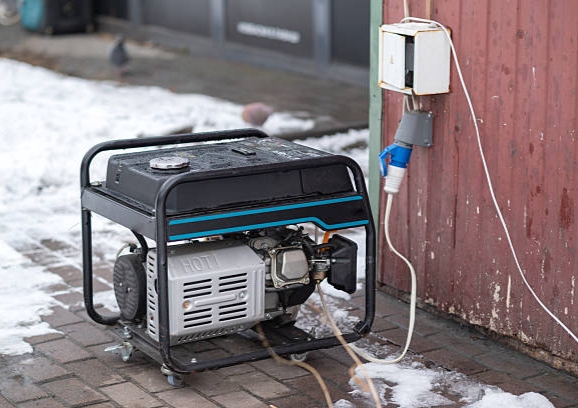
When a generator suddenly stops producing power, it can be both confusing and stressful, especially when the engine appears to be running normally. This is a common issue faced by many generator owners, and in most cases, the cause is electrical rather than mechanical. Understanding what triggers this problem is important because many of the reasons are easy to identify and fix without professional help. In this guide, you’ll learn the common reasons a generator may stop producing electricity, how to safely check for faults, and the practical solutions you can try before deciding to call a technician.
How to Recognize That Your Generator Has Stopped Producing Power
Before exploring the possible causes, it’s important to know the common signs that indicate your generator is not producing electricity. Look out for the following:
- Engine runs but no power output: The generator may start and the engine runs smoothly, yet no electricity reaches your outlets.
- Appliances fail to work: Devices connected to the generator do not turn on even though the engine is running.
- Circuit breaker trips frequently: If the breaker keeps switching off, it often signals an electrical problem rather than a mechanical one.
- Sudden loss of power: The generator may stop supplying electricity abruptly after functioning normally for a while.
If you notice any of these signs, it usually points to an electrical issue, not a problem with the engine itself. Recognizing these early can help you troubleshoot effectively and prevent further damage.
Also read: How to Connect Generator to House
7 Common Reasons Your Generator Stops Producing Power and How to Fix Them
Below are the seven most common reasons your generator may stop producing power and the practical fixes to get it running again safely:
1. Tripped Circuit Breaker or Blown Fuse
One of the most common reasons a generator suddenly stops producing power is a tripped circuit breaker or a blown fuse. This usually happens when the generator is overloaded, experiences a short circuit, or faces a sudden high demand from heavy appliances, causing the electrical system to shut off automatically to prevent damage.
Fix:
To resolve a tripped breaker or blown fuse, first turn off the generator and disconnect all appliances. Next, reset the circuit breaker or replace the fuse if it’s damaged. Once done, restart the generator and gradually reconnect appliances, ensuring the load does not exceed the generator’s capacity.
2. Automatic Voltage Regulator (AVR) Failure
The Automatic Voltage Regulator (AVR) controls the generator’s voltage output. When it fails, the generator engine may run normally, but it will produce little or no usable power. This happens because the AVR cannot maintain stable voltage, causing the electrical system to fail. Common signs include the engine running smoothly while outlets show no voltage, or the output flickers and becomes unstable before stopping completely.
Fix:
To fix AVR failure, inspect the regulator for burn marks, loose connections, or visible damage. If the AVR is faulty, replace it with a compatible unit recommended by the manufacturer. After replacement, test the generator to ensure stable voltage output before connecting appliances.
3. Worn or Damaged Carbon Brushes
Carbon brushes transfer electrical current within the generator. Over time, they wear down, losing proper contact and interrupting power production. This issue is especially common in older generators and can cause sudden power loss even if the engine runs normally.
Fix:
If you are experienced, open the generator casing and inspect the brushes for wear and spring tension. Replace any worn brushes with new ones, ensuring they fit correctly and maintain proper contact. Always follow safety precautions when working inside the generator.
4. Generator Overload
Running too many appliances at once can overload the generator, forcing it to stop producing power as a built-in safety measure. This is common when high-wattage devices are used simultaneously, exceeding the generator’s capacity. Signs include power stopping suddenly or the generator sounding strained.
Fix:
To prevent overload, reduce the number of connected appliances and avoid running high-wattage devices at the same time. Make sure the generator you are using has enough capacity for all the devices you plan to run.
5. Low Oil Sensor Triggered
Many modern generators are equipped with a low oil shutdown system. If the oil level drops too low, the generator will stop producing power to protect the engine from damage.
Fix:
Turn off the generator and check the oil level. Refill with the correct type of oil as recommended by the manufacturer. After topping up, restart the generator and confirm normal operation.
6. Faulty Wiring or Loose Connections
Loose or damaged wiring can prevent a generator from producing power even if the engine itself is running perfectly. Causes may include vibration over time, poor maintenance, or even rodent damage in stored generators.
Fix:
Carefully inspect visible wiring for damage or loose connections. Tighten terminals as needed and replace any damaged wires. If you are unsure or notice serious electrical faults, consult a professional technician to avoid injury or further damage.
7. Generator Has Lost Residual Magnetism
Generators rely on residual magnetism to produce electricity. After long periods of inactivity, a generator may lose this magnetism, preventing it from generating power even though the engine runs normally.
Fix:
The generator can be re-excited using a controlled magnetism restoration method, which restores the magnetic field needed for power generation. This should be done carefully or by a qualified technician to ensure safety and proper operation.
Safety Tips Before Troubleshooting Your Generator
Working on a generator can be dangerous if proper precautions are not taken. Follow these tips to stay safe while identifying and fixing issues:
1. Turn off the generator before inspection: Always shut down the engine to avoid electrical shocks or injuries.
2. Never touch exposed wires while the generator is running: Live wires carry dangerous voltage and can cause serious harm.
3. Avoid working in wet or damp conditions: Water increases the risk of electric shock and can damage the generator.
4. Seek professional help if unsure: If you are not confident in diagnosing or repairing the generator, call a qualified technician.
Safety should always be your top priority. Quick fixes are never worth risking injury or causing further damage.
Also read: Where to Store Generator When Not in Use
Conclusion
A generator that suddenly stops producing power is often caused by common, fixable issues such as electrical faults, overloads, or worn components. By understanding the signs, identifying the root cause, and applying the correct solutions safely, most problems can be resolved without professional help. Regular maintenance and careful operation not only prevent sudden power loss but also extend the life of your generator, ensuring reliable performance whenever you need it.
Frequently Ask Questions
1. How often should I perform maintenance on my generator to prevent sudden power loss?
Regular maintenance is key to avoiding sudden generator failures. Check the oil level, clean or replace filters, inspect wiring, and examine brushes at least every 3–6 months or after heavy usage. Routine care keeps all components functioning and reduces the risk of unexpected shutdowns.
2. Can environmental conditions affect my generator’s power output?
Yes. High humidity, rain, extreme heat, or dusty environments can affect generator performance. Moisture can cause short circuits, and dust or debris can block ventilation or damage internal components. Storing and operating your generator in a clean, dry area improves reliability.
3. Is it safe to operate a generator near my home during a sudden power outage?
Generators should always be used in well-ventilated areas outdoors, away from windows and doors. Carbon monoxide from exhaust is extremely dangerous indoors. Following safety guidelines ensures both reliable operation and household safety.
4. Can using incorrect appliances or too many devices damage my generator?
Yes. Connecting more appliances than the generator’s rated capacity can overload the system, causing it to shut down or trip the breaker. Always check your generator’s wattage limits and avoid running high-power devices simultaneously.
5. How can I extend the lifespan of my generator and prevent sudden shutdowns?
Frequent inspections, proper loading, timely oil changes, and replacing worn components like carbon brushes or fuses can significantly extend a generator’s life. Avoid overloading, store it correctly, and follow the manufacturer’s maintenance schedule for consistent performance.