
Artificial Intelligence is no longer just a futuristic concept—it’s now an essential academic tool. From writing assignments to solving complex math problems, AI apps help students around the world study smarter, save time, and improve performance. But with so many tools available, which ones are truly useful? In this guide, we explore the best AI apps for students globally, both free and paid, how they work, their pricing, and when to use each one. Whether you’re in high school, university, or preparing for standardized exams or postgraduate studies, this list will help you pick the right AI tools to boost your learning.
Why Students Are Turning to AI Apps
AI apps are rapidly gaining popularity among students everywhere. Here’s why:
- Help with assignments and research: AI tools provide quick explanations, summaries, and solutions, making study sessions more productive.
- Simplify difficult subjects: From complex math problems to challenging science topics, AI apps break down concepts into easy-to-understand steps.
- Improve writing and grammar: Tools like AI writing assistants help students craft clear, error-free essays and reports.
- Save time: With AI handling repetitive or complex tasks, students can focus on learning and exam preparation.
- Accessible free plans: Many AI apps offer free versions, making them affordable for students on any budget.
With growing academic pressure and limited access to tutoring in some regions, these AI tools are helping bridge gaps and giving students a smarter way to study.
Top 8 Best AI Apps for Students Worldwide (Free & Paid)
Below are eight powerful AI tools that can help students study smarter, write better, and perform confidently in school:
1. ChatGPT (Free & Paid)
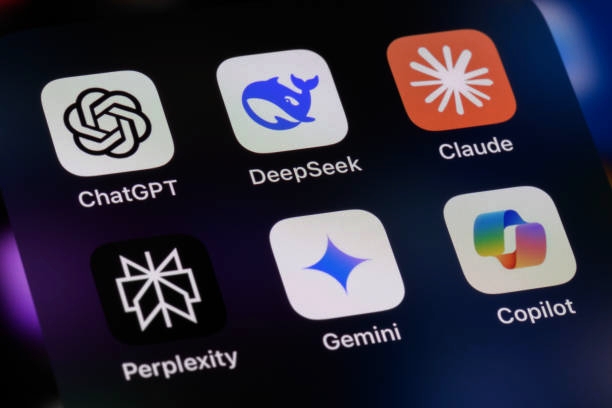
Best for: Writing, explanations, research, coding help. ChatGPT is a powerful AI tool that explains difficult topics, helps draft essays and assignments, solves programming problems, generates study notes, and summarizes textbooks. The free version handles basic research and writing, while ChatGPT Plus offers faster, more accurate responses and better support for complex research. It works well even with moderate internet speed and can be accessed via mobile browser or app.
2. Grammarly (Free & Premium)
Best for: Grammar correction and academic writing. Grammarly helps students fix spelling and grammar errors, improve sentence structure, detect tone issues, and avoid plagiarism (Premium). The free plan offers basic grammar correction, while the Premium plan provides advanced suggestions, clarity improvements, engagement tips, and a plagiarism checker. For university students working on projects or theses, Grammarly Premium is highly recommended.
3. Photomath (Free & Paid)
Best for: Solving mathematics problems. Photomath lets students snap a picture of a math problem and get step-by-step solutions, graph explanations, and algebra breakdowns. It is especially useful for preparing for math exams and competitions, helping students understand algebra, calculus, and other complex topics. Even the free version is highly effective for daily study and practice.
4. Google Gemini (Free)
Best for: Research and idea generation. Google Gemini (formerly Bard) integrates seamlessly with Google services. Students can use it to research academic topics, generate summaries, get explanations, and brainstorm project ideas. Since many students already use Google products, Gemini feels familiar and easy to navigate, making research faster and more organized.
5. Microsoft Copilot (Free with Microsoft Edge)
Best for: Research and productivity. Microsoft Copilot works inside Edge and integrates with Word, Excel, and PowerPoint. It helps students create assignments, presentations, and reports efficiently, offering suggestions and automating repetitive tasks. For students frequently using Microsoft Office, Copilot can save significant time while improving accuracy and presentation quality.
6. Notion AI (Paid with Limited Free Features)
Best for: Organizing study materials. Notion AI allows students to create smart notes, summarize long texts, plan study schedules, and manage research projects. It is ideal for university students handling multiple courses or long-term projects, helping them stay organized, track progress, and structure information effectively.
7. Otter.ai (Free & Paid)
Best for: Recording and transcribing lectures. Otter.ai is perfect for students who struggle to take notes quickly during lectures. It can record lectures, convert speech to text, and summarize discussions. This tool is especially helpful in fast-paced learning environments, ensuring students never miss important information.
8. Canva AI (Free & Paid)
Best for: Presentations and academic designs. Canva AI helps students create professional slides, design project covers, generate images, and build infographics. It is highly useful for seminar presentations, research project designs, and final-year defenses, allowing students to produce visually appealing work without needing advanced design skills.
Free vs Paid AI Apps: Which Should Students Choose?
Choosing the right AI app depends on your needs and academic level.
Choose Free Plans if:
- You’re in high school
- You only need basic assistance
- You’re on a tight budget
Choose Paid Plans if:
- You’re working on a final-year project
- You need plagiarism checking
- You handle complex research tasks
Many students start with free versions and upgrade only when necessary, ensuring they get value without overspending.
Conclusion
AI apps are transforming the way students learn, making studying faster, easier, and more efficient. Whether you use free versions to get started or paid plans for advanced features, these tools can help with assignments, research, writing, and exam preparation. The key is to use them responsibly as learning aids, combining multiple apps based on your needs to boost understanding, save time, and achieve better academic results. Start exploring these AI tools today and take your studies to the next level.
Frequently Asked Questions
1. Can AI apps replace traditional studying methods?
AI apps are designed to support learning, not replace it. They help clarify difficult concepts, generate notes, and improve productivity, but students still need to practice, review, and apply knowledge independently.
2. Are these AI apps suitable for group projects?
Yes. Many AI tools like ChatGPT, Notion AI, and Google Gemini can help students collaborate, brainstorm ideas, organize research, and share study materials, making group work more efficient.
3. How can students use AI apps safely without breaking school rules?
Students should use AI as a study aid, not to copy answers directly. Summarize AI-generated content in your own words, verify facts, and follow your school’s academic integrity policies.
4. Do these AI apps work on mobile devices with slow internet?
Most AI apps, including ChatGPT, Grammarly, and Photomath, are optimized for mobile and moderate internet speeds, making them accessible to students worldwide.
5. Which AI apps are best for exam preparation?
Photomath, ChatGPT, and Google Gemini are particularly useful for exam prep, providing step-by-step solutions, topic explanations, and summaries to help students understand and revise effectively.